Product Tour
See How Track & Train Works
A step-by-step walkthrough of everything the app puts in your hands — whether you're a trainer running your business or a client chasing your goals.
Getting Started
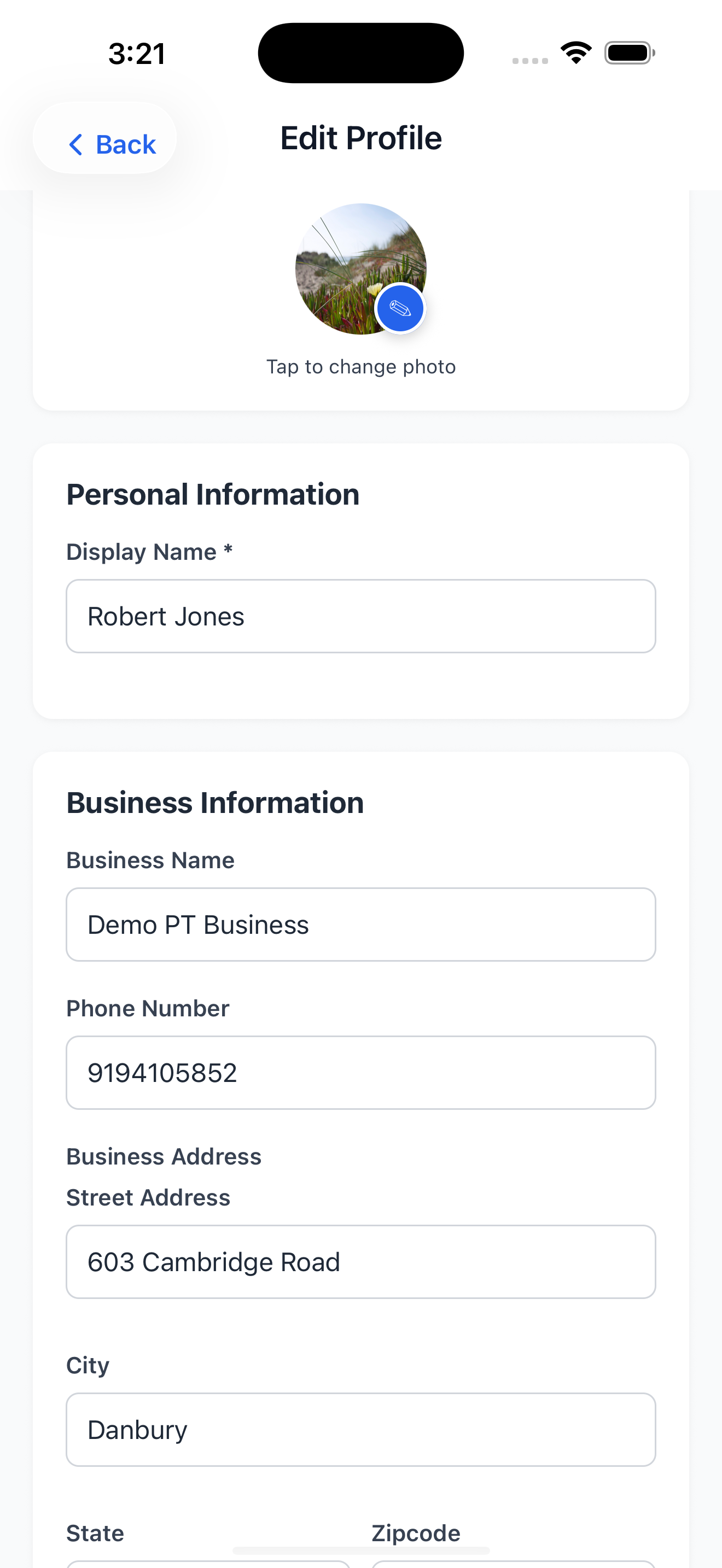
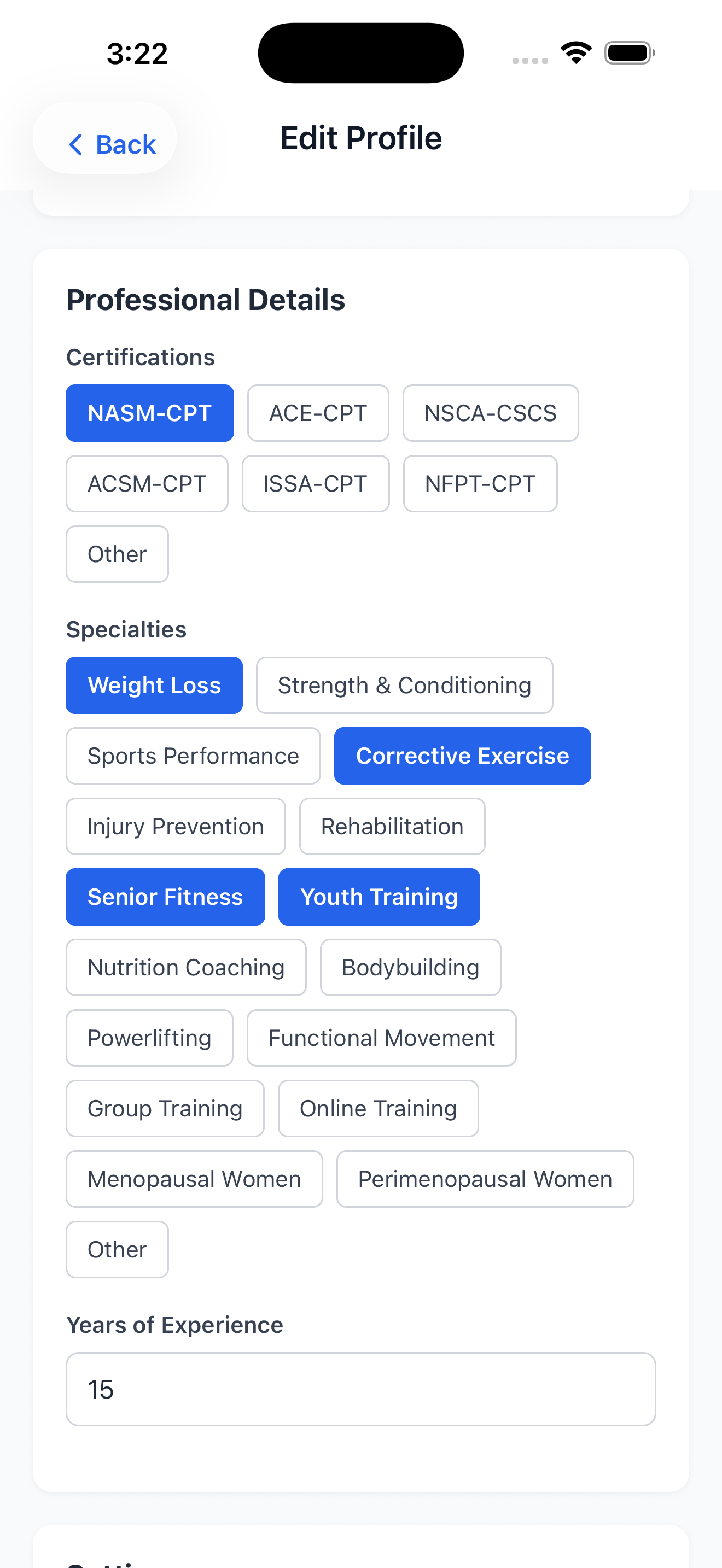
Set up your professional profile in minutes. Add your business name, certifications, specialties, years of experience, and contact details so your clients always know who they're training with. Your profile is the foundation of your practice — everything your clients see starts here.
- Enter your business name and contact information
- List your certifications and specialties
- Set your default session duration and cancellation policy
- Upload a profile photo
- Configure your timezone
Managing Clients
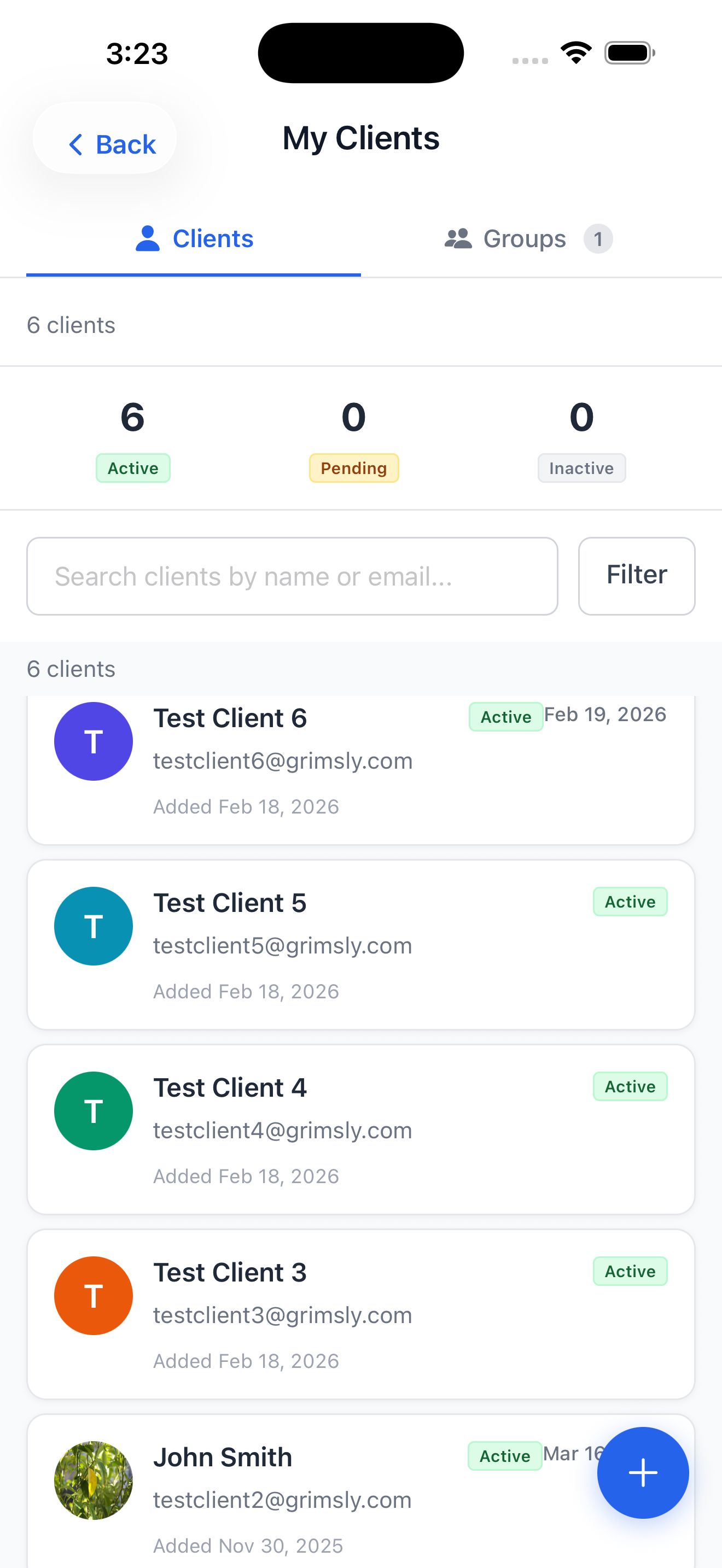
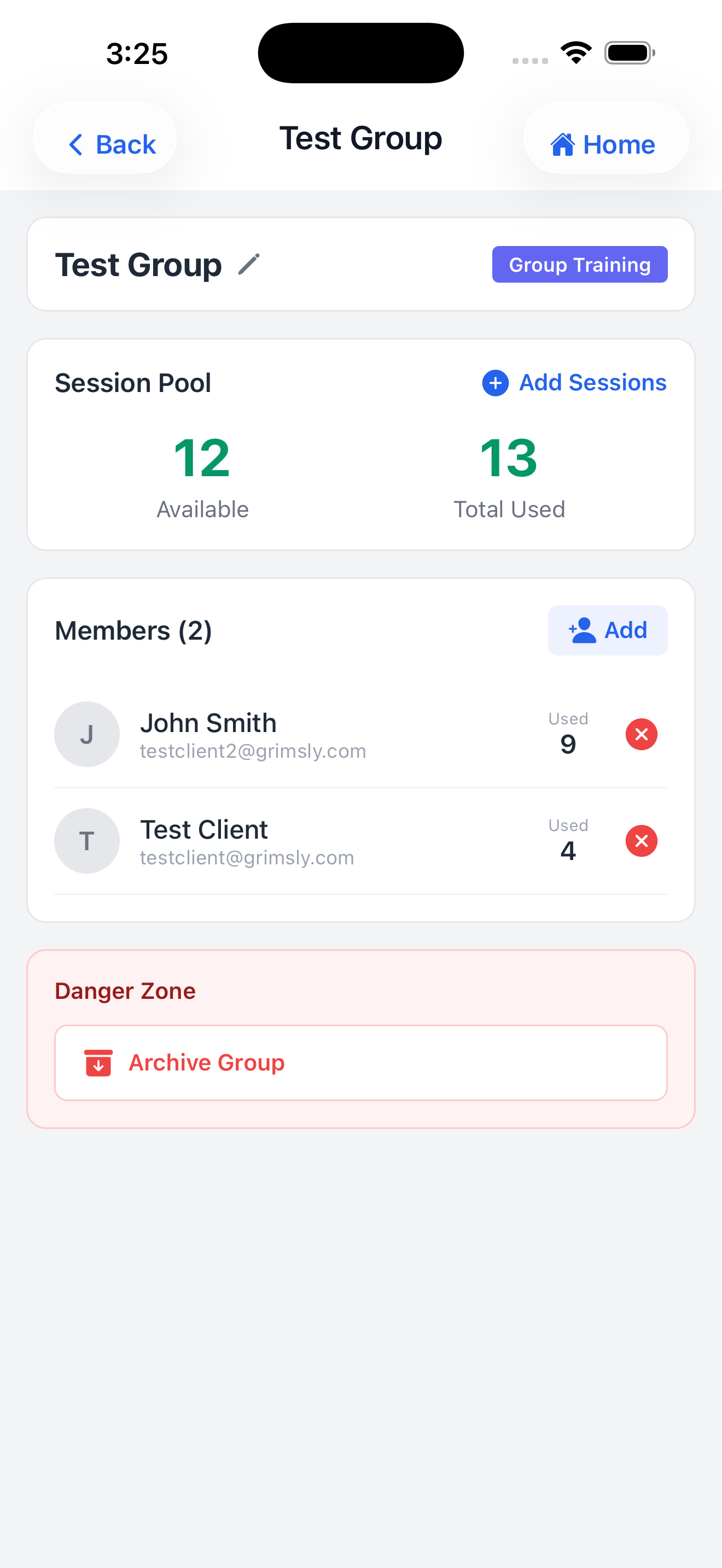
Your entire client roster, organized and always at your fingertips. Invite new clients with a unique activation code, then manage every aspect of their training from a single profile — no spreadsheets, no chasing paperwork.
- Invite clients using a shareable activation code
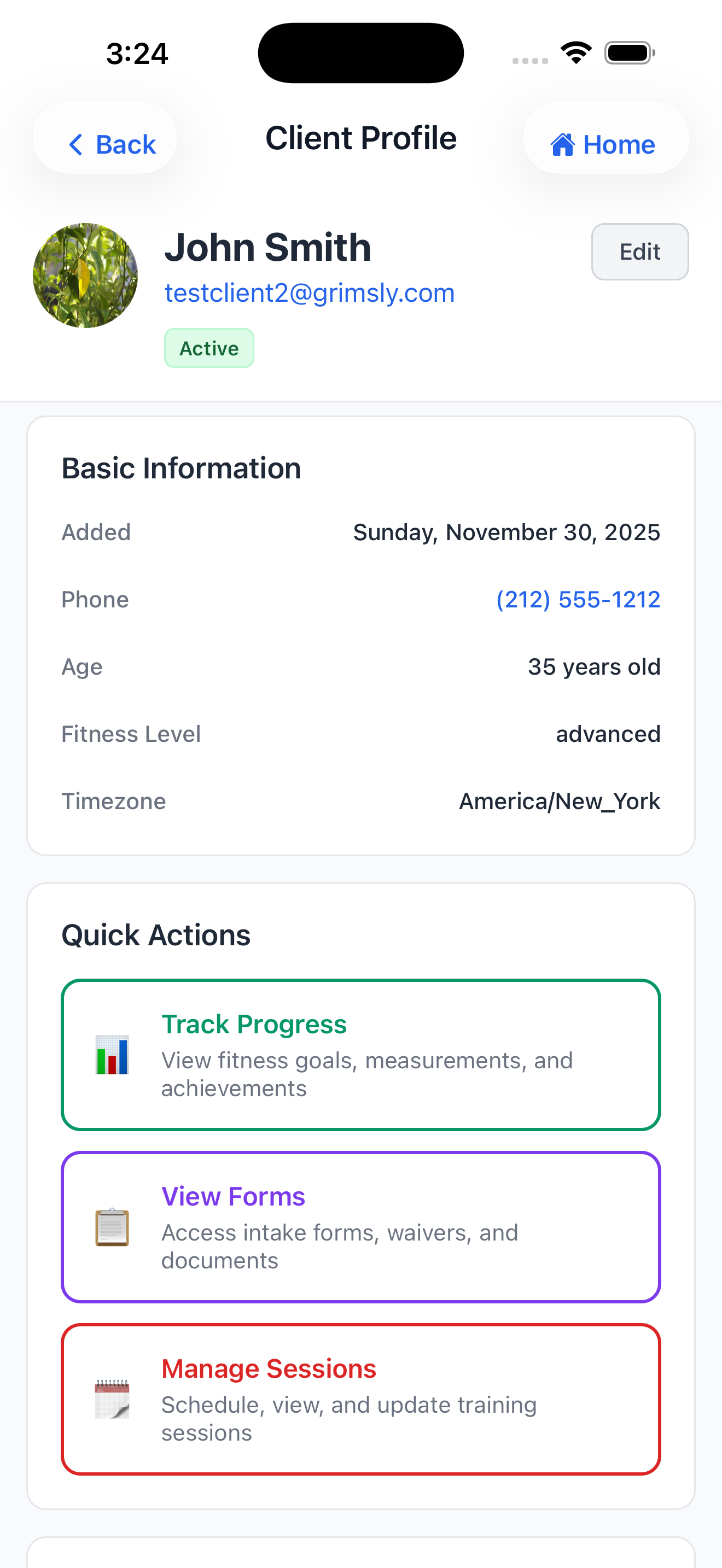
- View and edit client profiles including fitness goals, medical notes, and emergency contacts
- Track session availability per client (or manage via group session pools)
- Start new sessions directly from the client profile
- Assign workout templates to a client
- Access the client's full session history and progress tracking
- Manage client forms and waivers
- Organize clients into groups for shared session pools or team training
Exercise Library
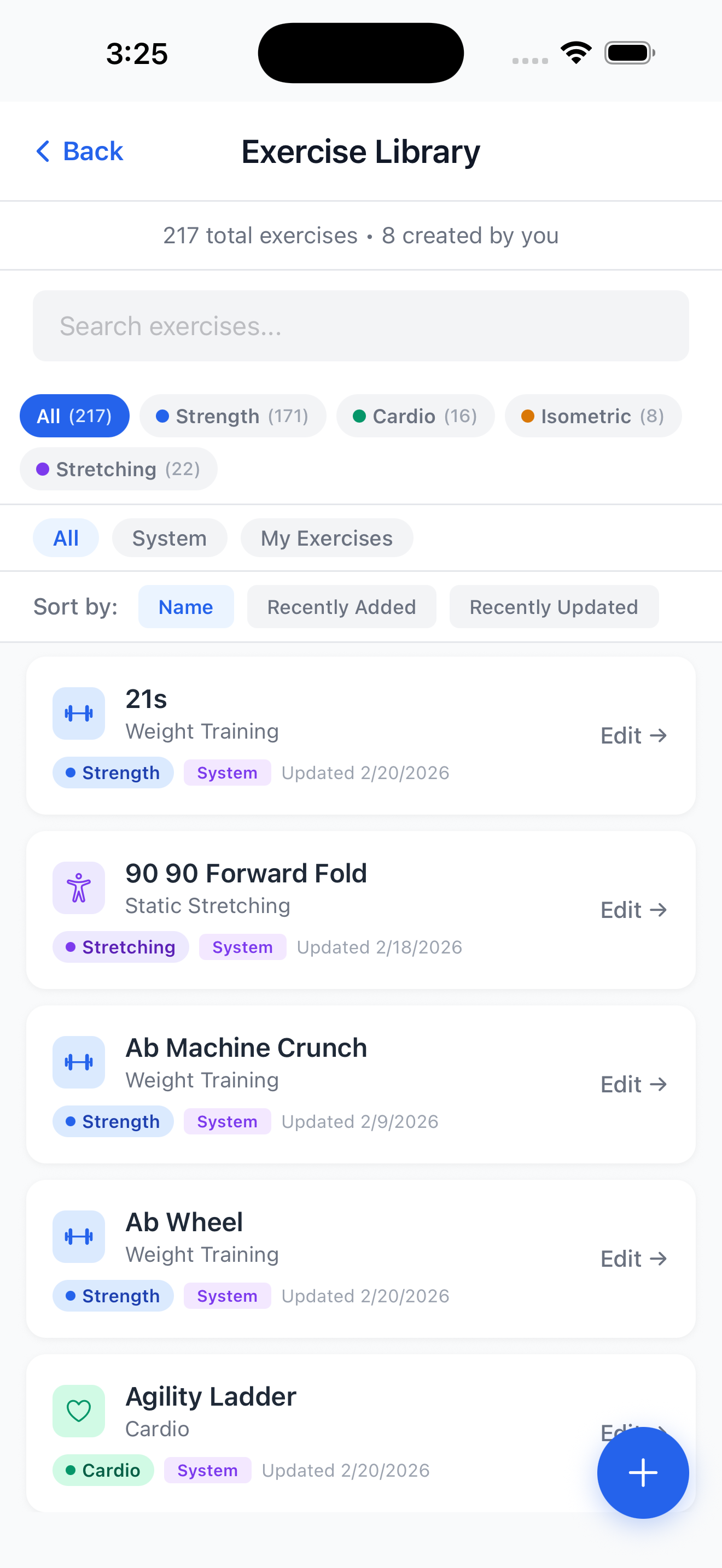
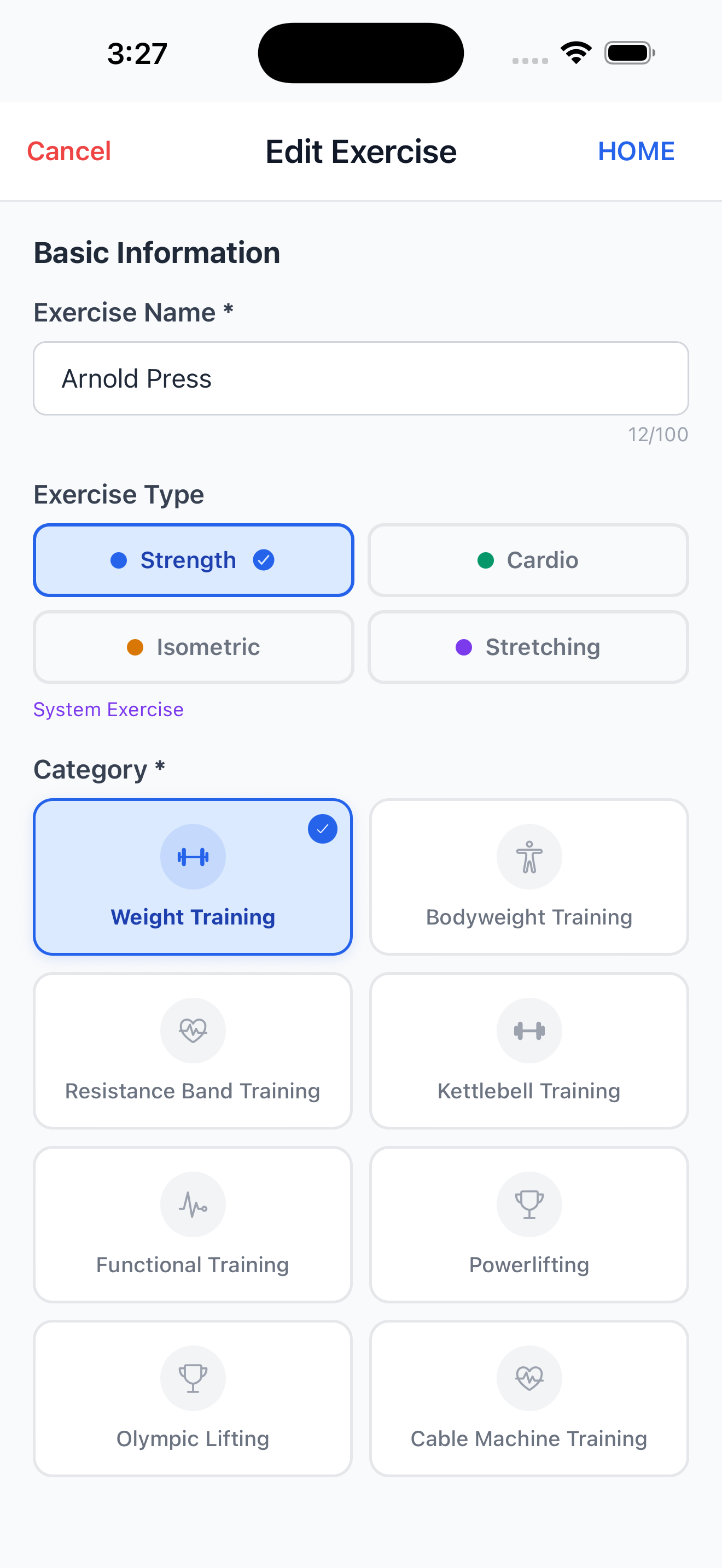
Build the foundation of every workout. Browse hundreds of system exercises or create your own custom exercises complete with descriptions, instructions, tips, video links, and muscle group tagging. Your library powers everything — templates, programs, and live sessions.
- Browse exercises by category, muscle group, or equipment
- Search by name across all exercises
- Create fully custom exercises with descriptions, instructions, tips, and video URLs
- Tag exercises with muscle groups and categories
- Use exercises across workout templates and live sessions
Workout Templates
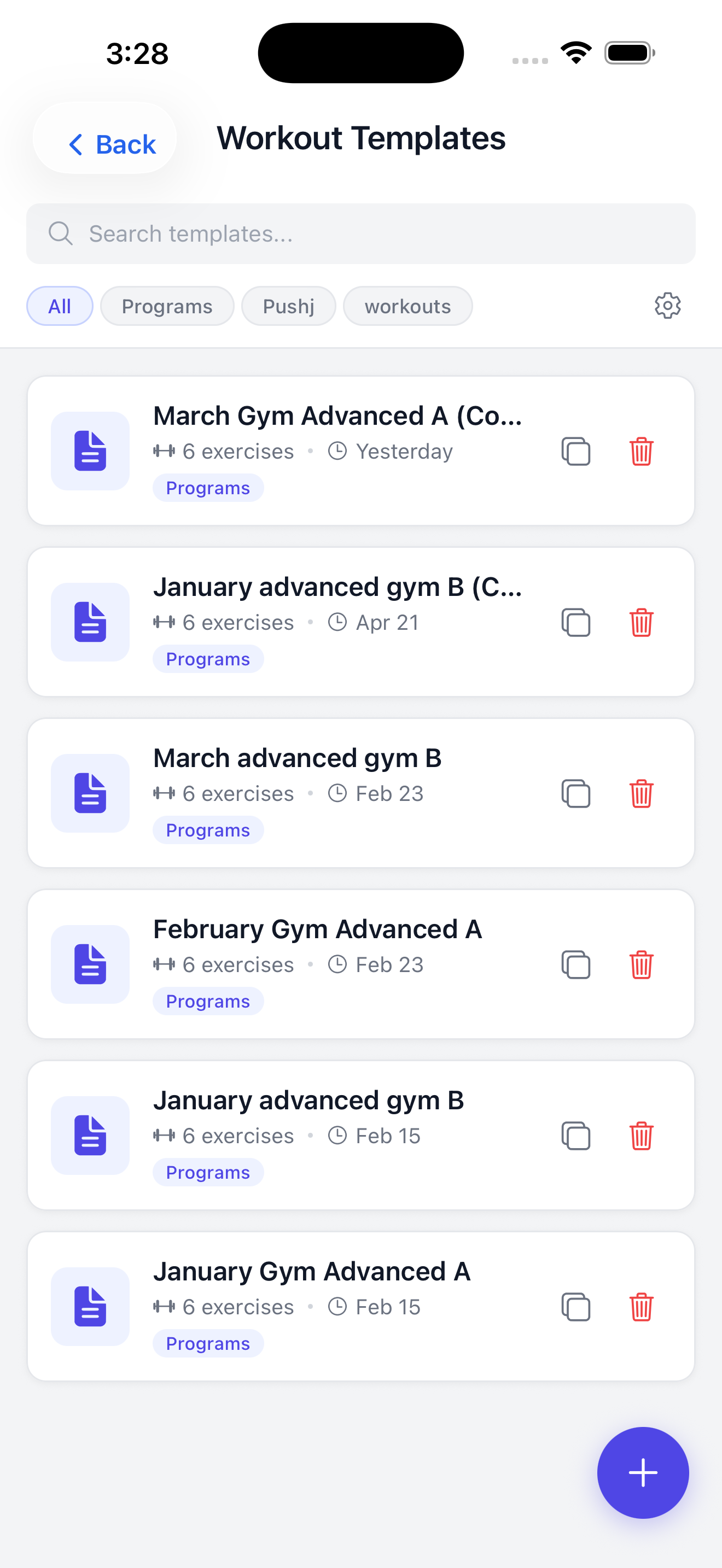
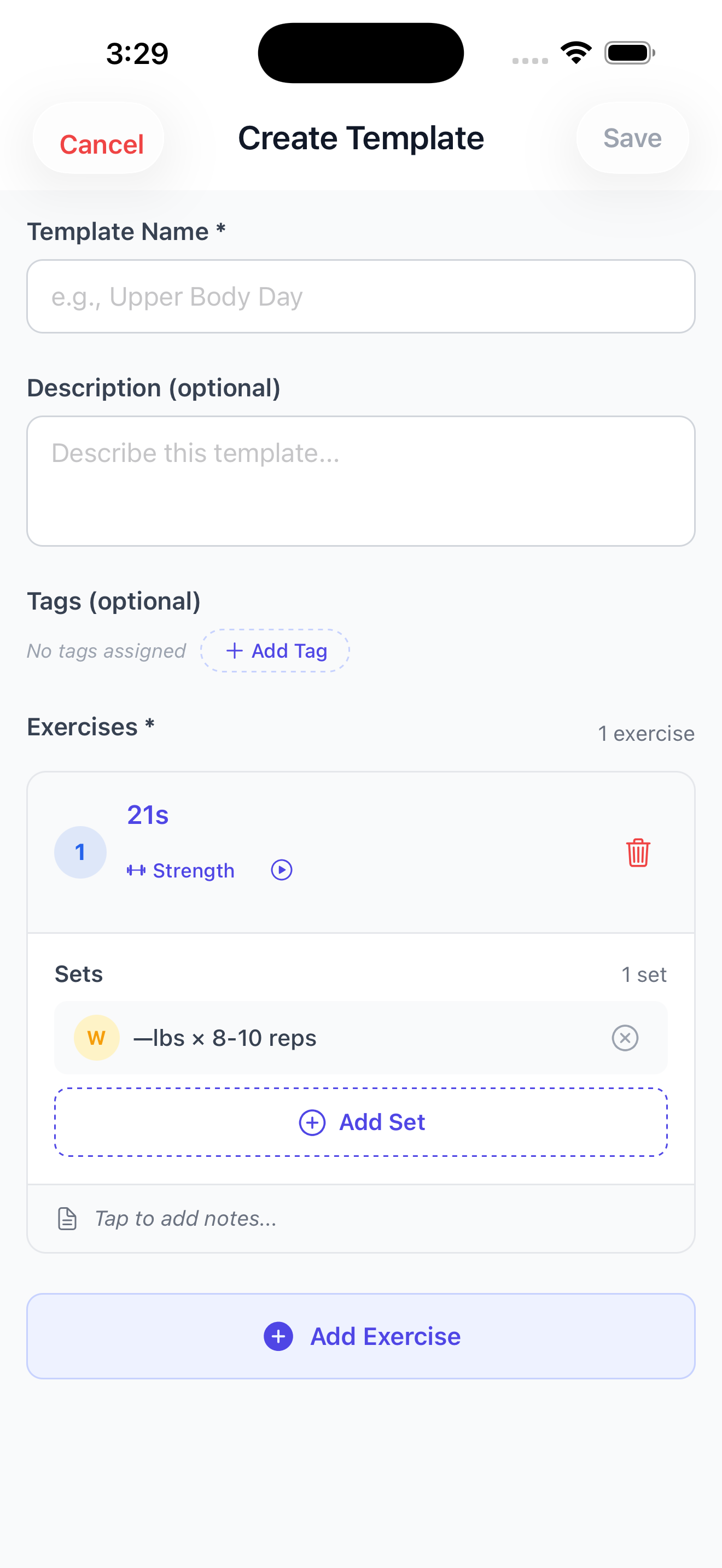
Stop building workouts from scratch every session. Create reusable workout templates that you can apply in seconds — assign them directly to clients, use them when scheduling calendar sessions, or attach them to phases within a training program.
- Build templates with any combination of exercises
- Configure sets, reps, weight, rest time, and exercise order
- Apply templates mid-session with one tap
- Assign templates to individual clients for self-logging
- Attach templates to training program phases
- Reuse templates across multiple clients and sessions
Running Sessions
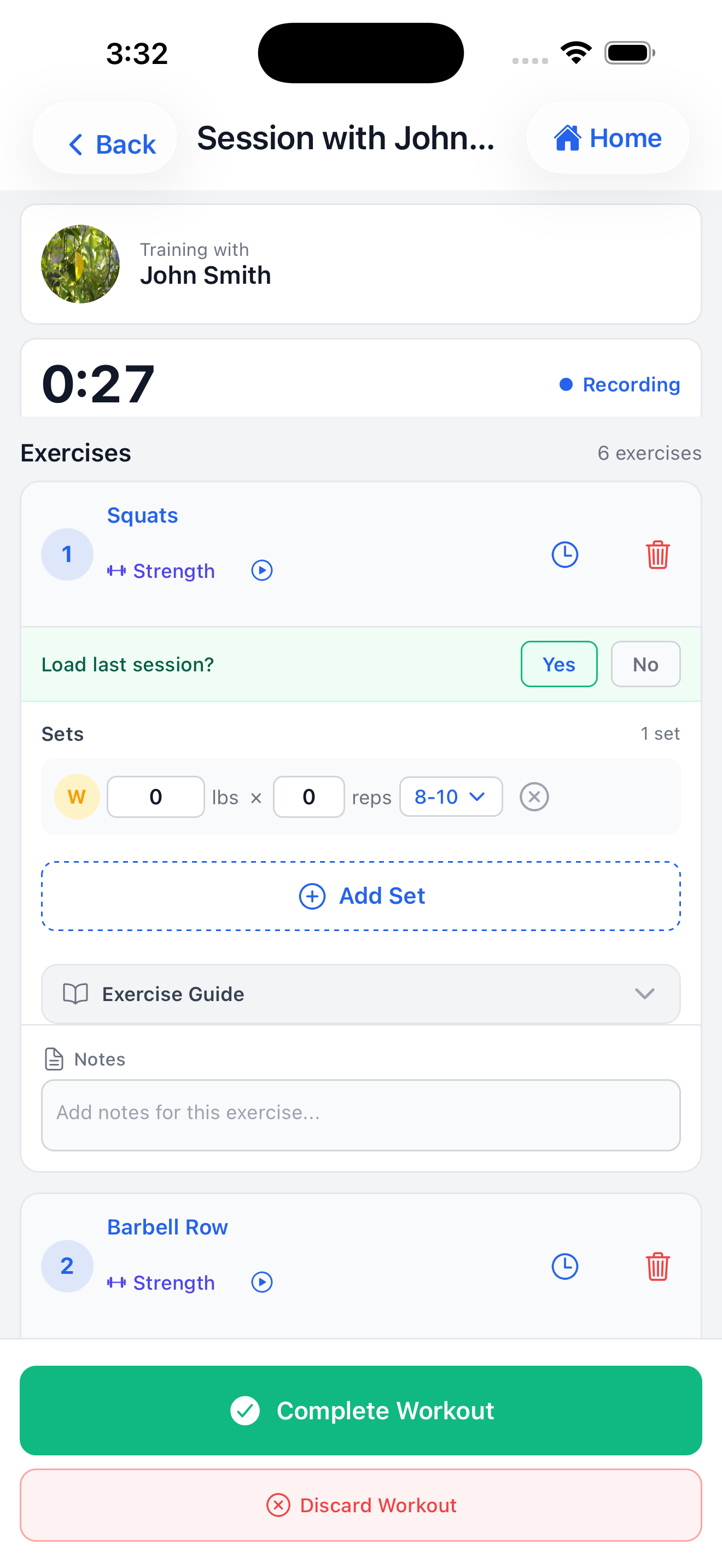
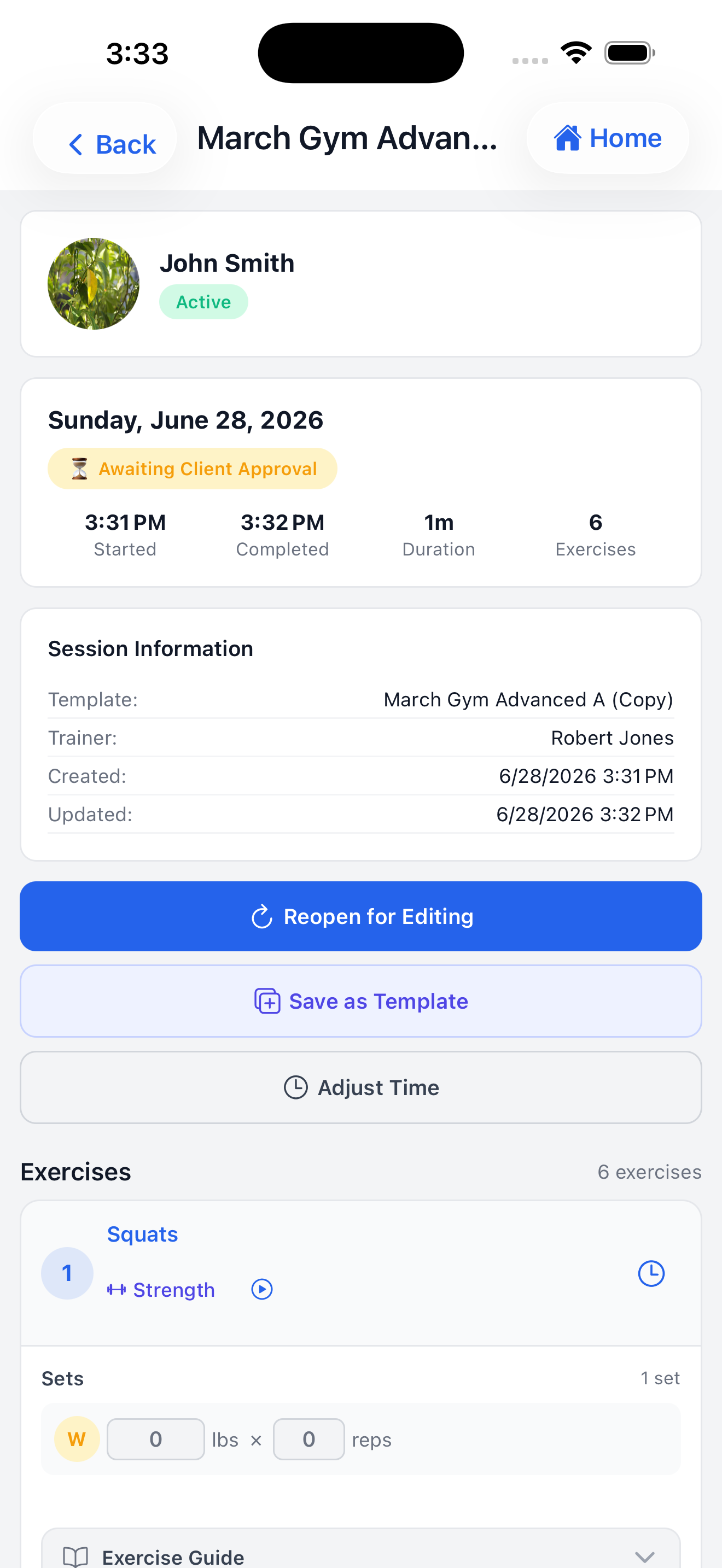
Lead sessions with confidence. Start a live session with any client, log exercises and sets in real time, and capture every rep and weight lifted. When you're done, clients receive a completion notification and can approve the session from their own device.
- Start a new session from the client profile or dashboard
- Apply a workout template with one tap to pre-populate exercises
- Log exercises, sets, reps, weights, durations, and rest periods
- View a client's exercise history inline while logging
- Add session notes for context
- Complete the session — clients receive a push notification to review and approve
- Review completed sessions anytime from session history
Training Programs
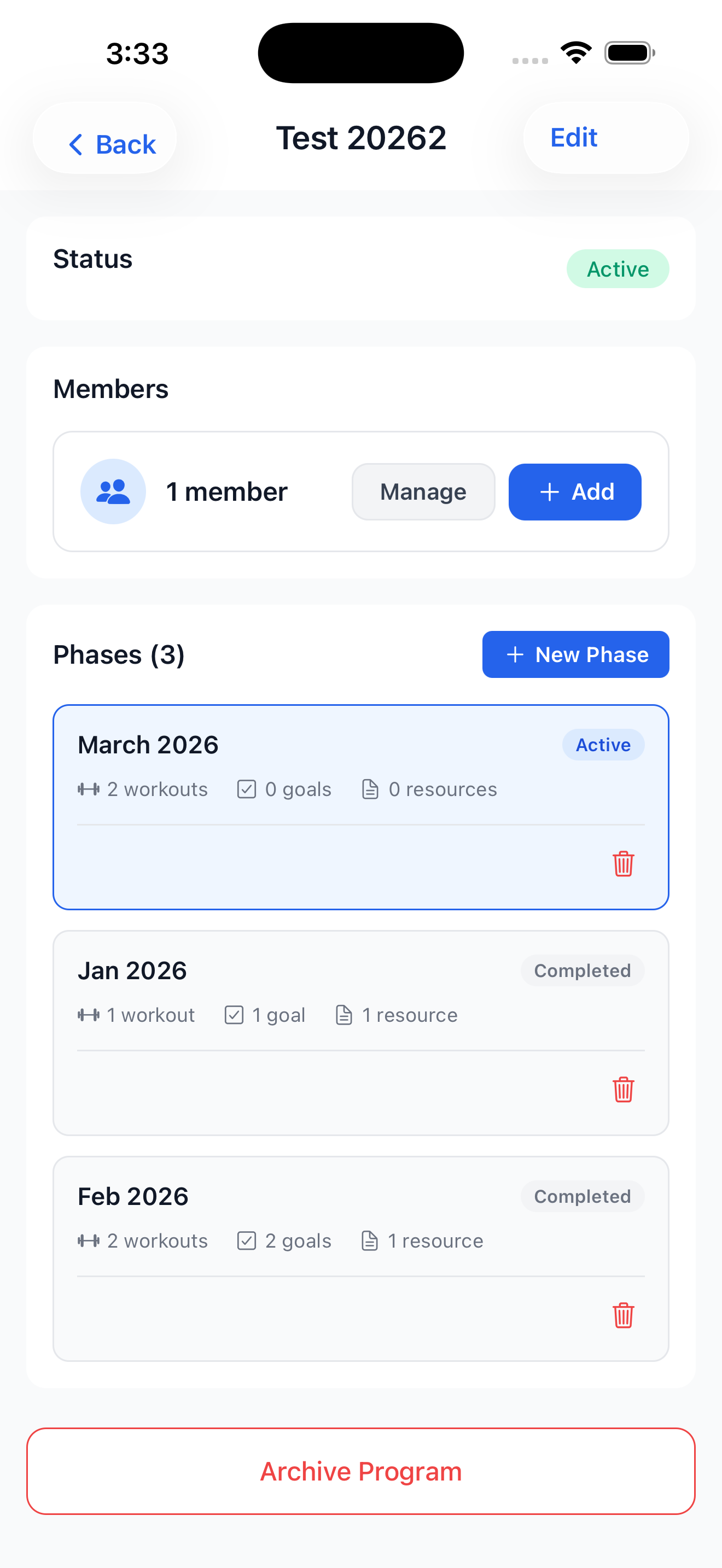
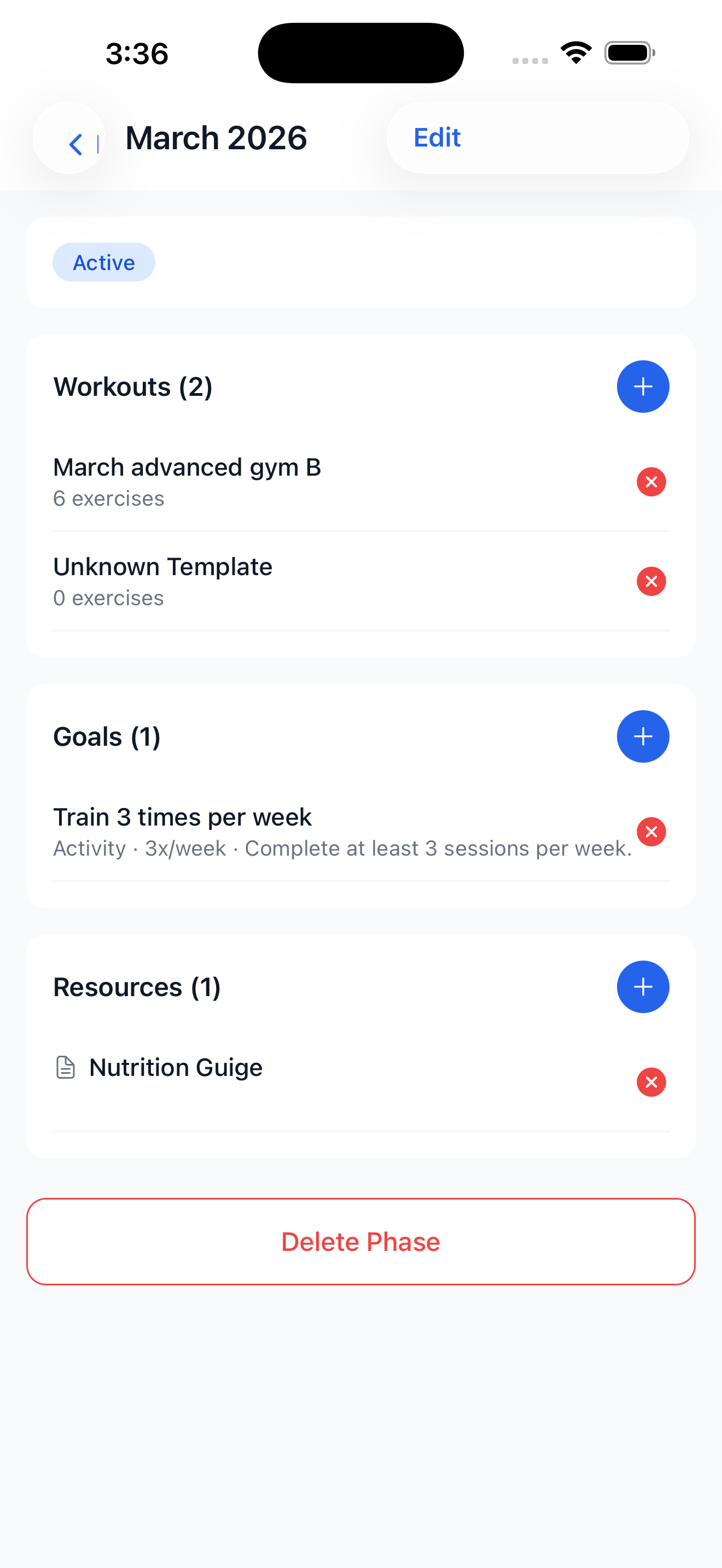
Take your clients beyond single sessions with structured, multi-phase training programs. Set goals, assign templates to each phase, and track each client's journey from start to finish. Programs give your training intentionality — and your clients a clear path forward.
- Create programs with multiple phases (e.g., Foundation → Build → Peak)
- Attach workout templates and resources to each phase
- Set measurable goals for each phase
- Enroll one or multiple clients in a program
- Track each client's phase progress and goal completion
- Add educational resources, links, and notes to program phases
Calendar and Scheduling
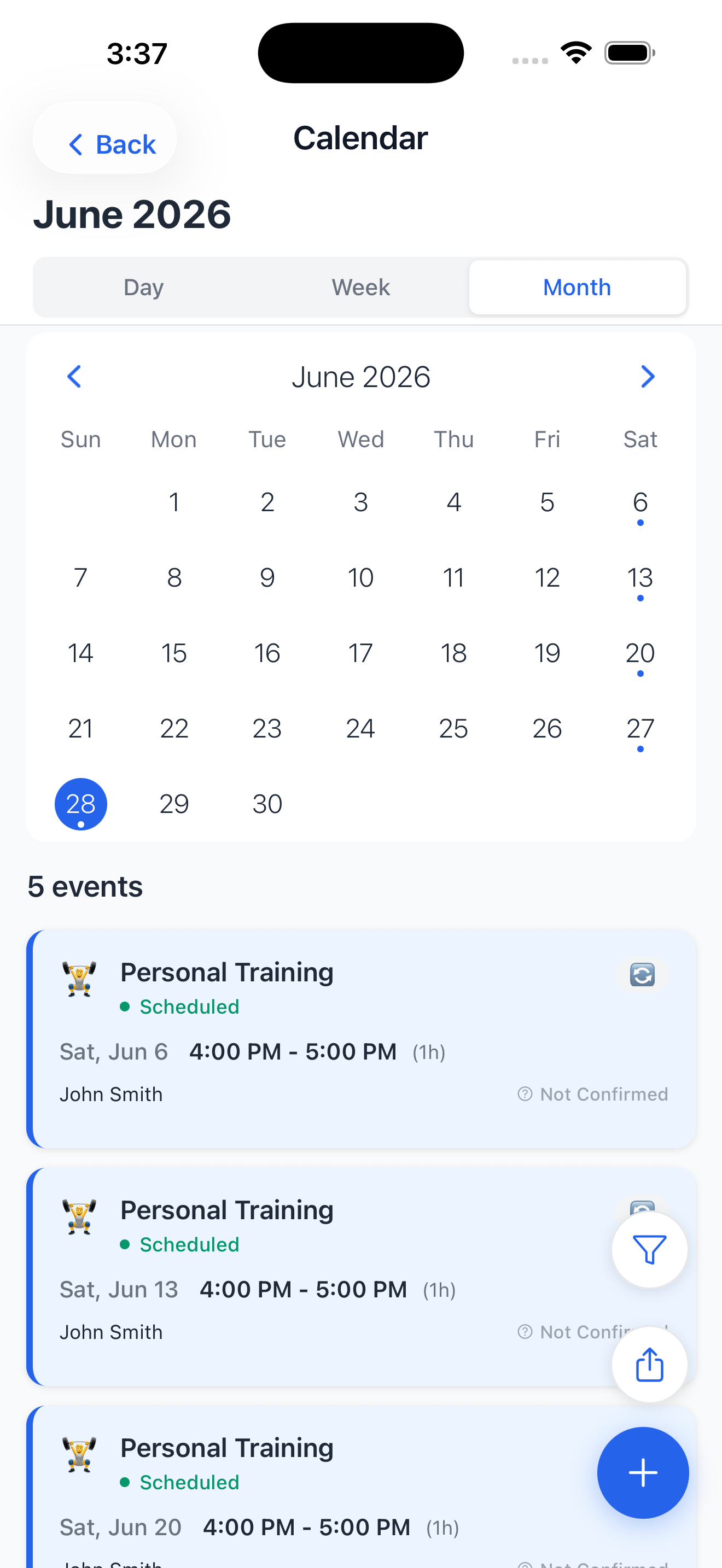
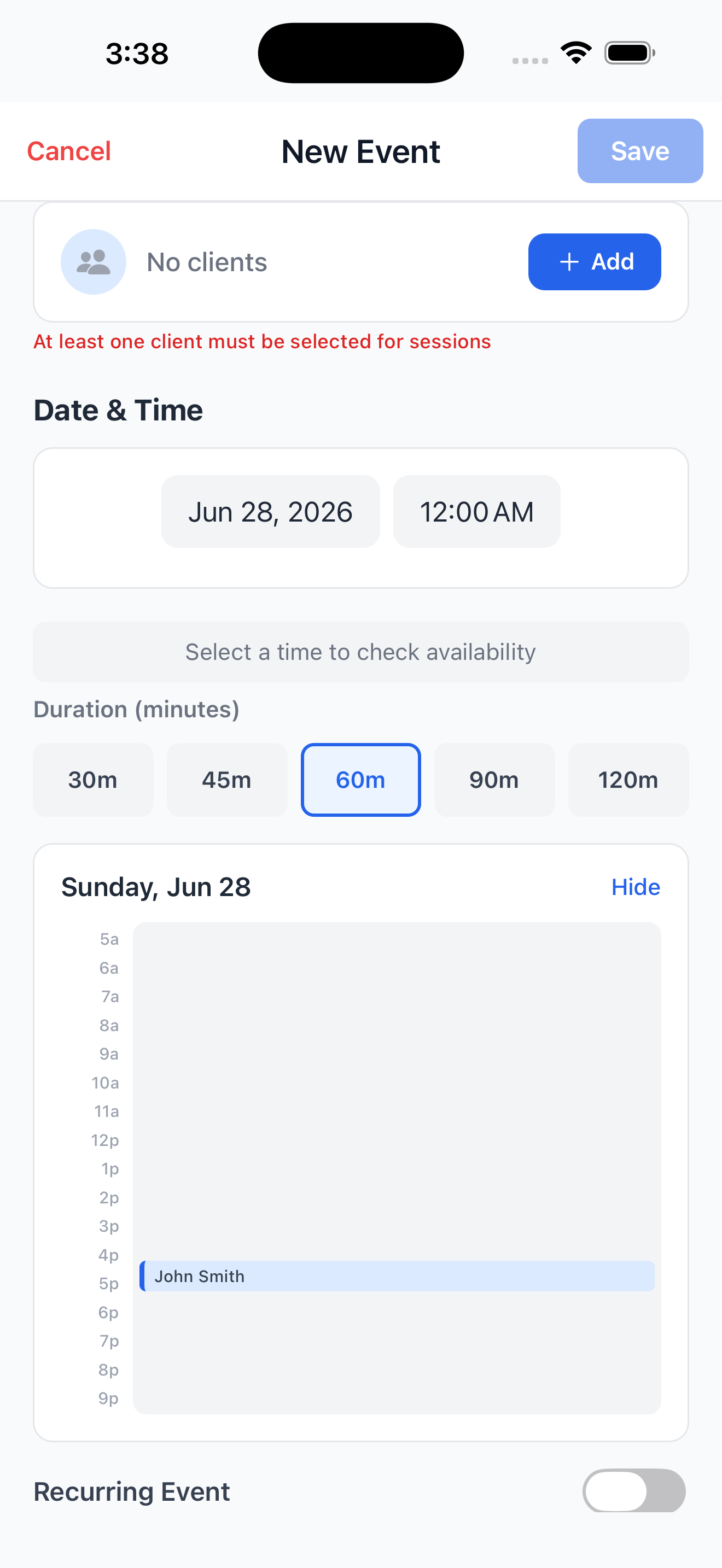
Your schedule, perfectly organized. Book one-time or recurring sessions, set your availability, and let clients know exactly what's coming up. Sync your Track & Train calendar with Google or Apple Calendar via iCal so you never miss an appointment.
- Schedule one-time or recurring sessions with any client
- Set recurrence rules (daily, weekly, monthly, custom)
- View your full schedule in monthly, weekly, or daily views
- Export your calendar via iCal link for Google or Apple Calendar sync
- Receive notifications for upcoming sessions and cancellations
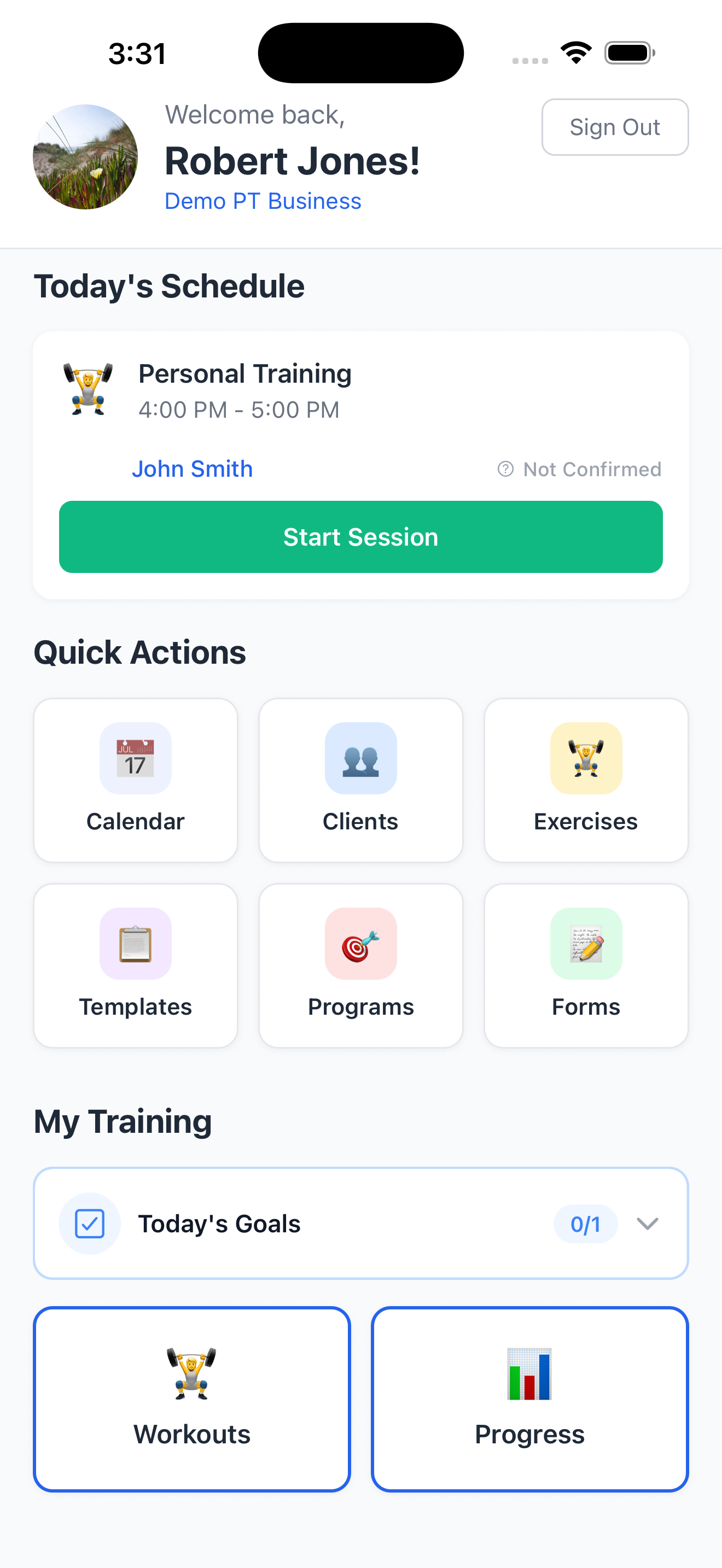
- See today's schedule at a glance on your dashboard
Progress Tracking
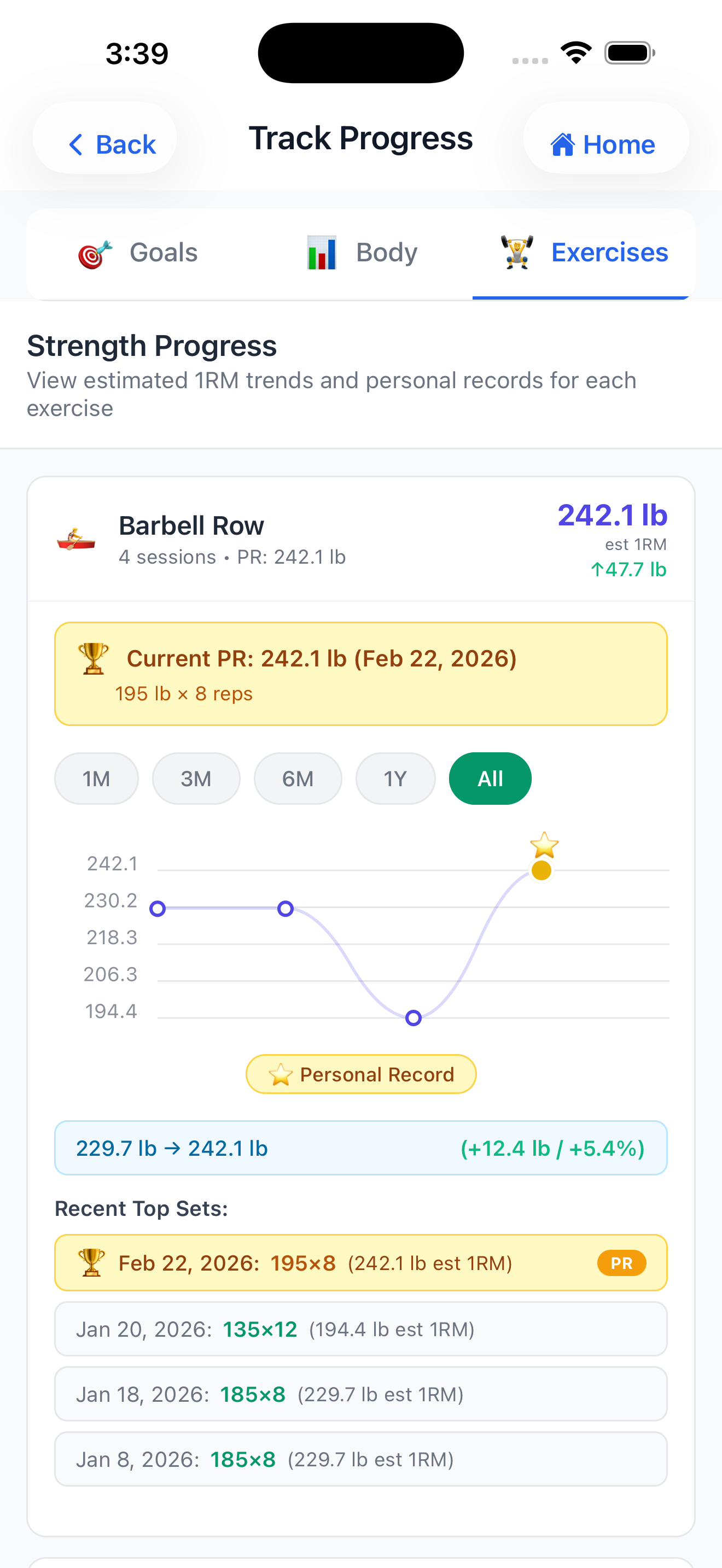
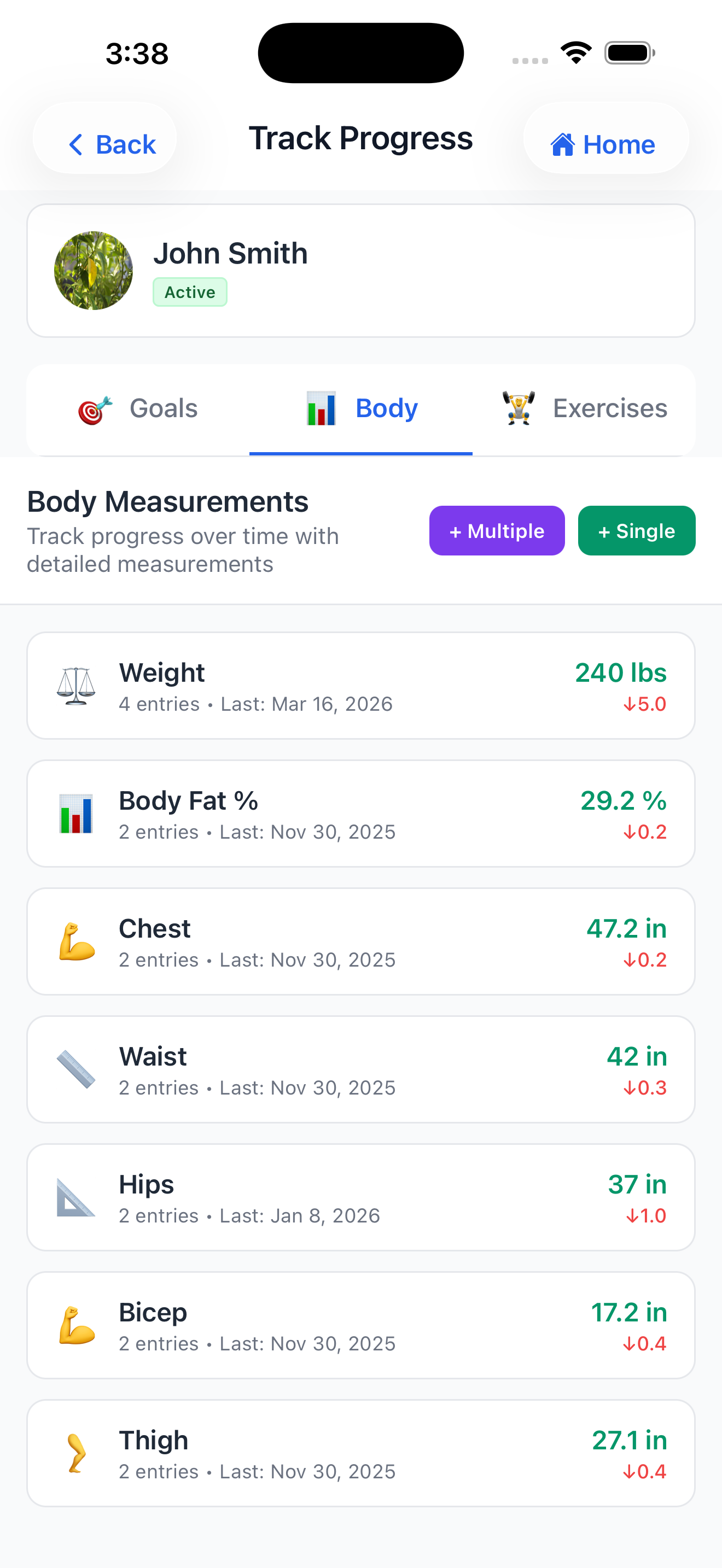
See the results of your work — and show your clients theirs. Track body measurements, personal records, and custom fitness goals over time. With visual progress charts and historical data at your fingertips, you can make data-driven adjustments and celebrate real milestones together.
- Log and track client body measurements (weight, body fat, circumference, and more)
- Record personal records for any exercise
- Set and monitor custom fitness goals
- View progress charts over custom time ranges
- Access measurement history alongside session history for a complete client picture
My Training
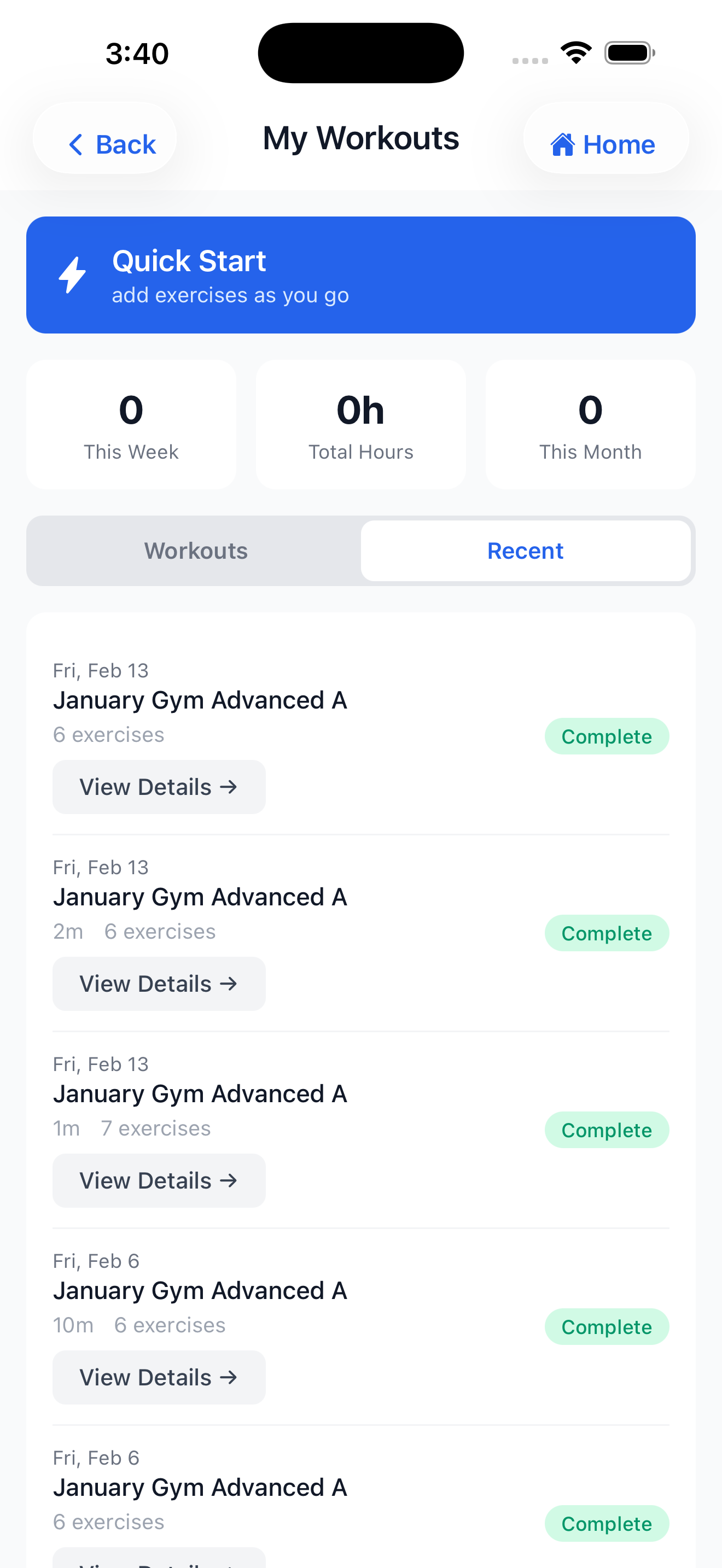
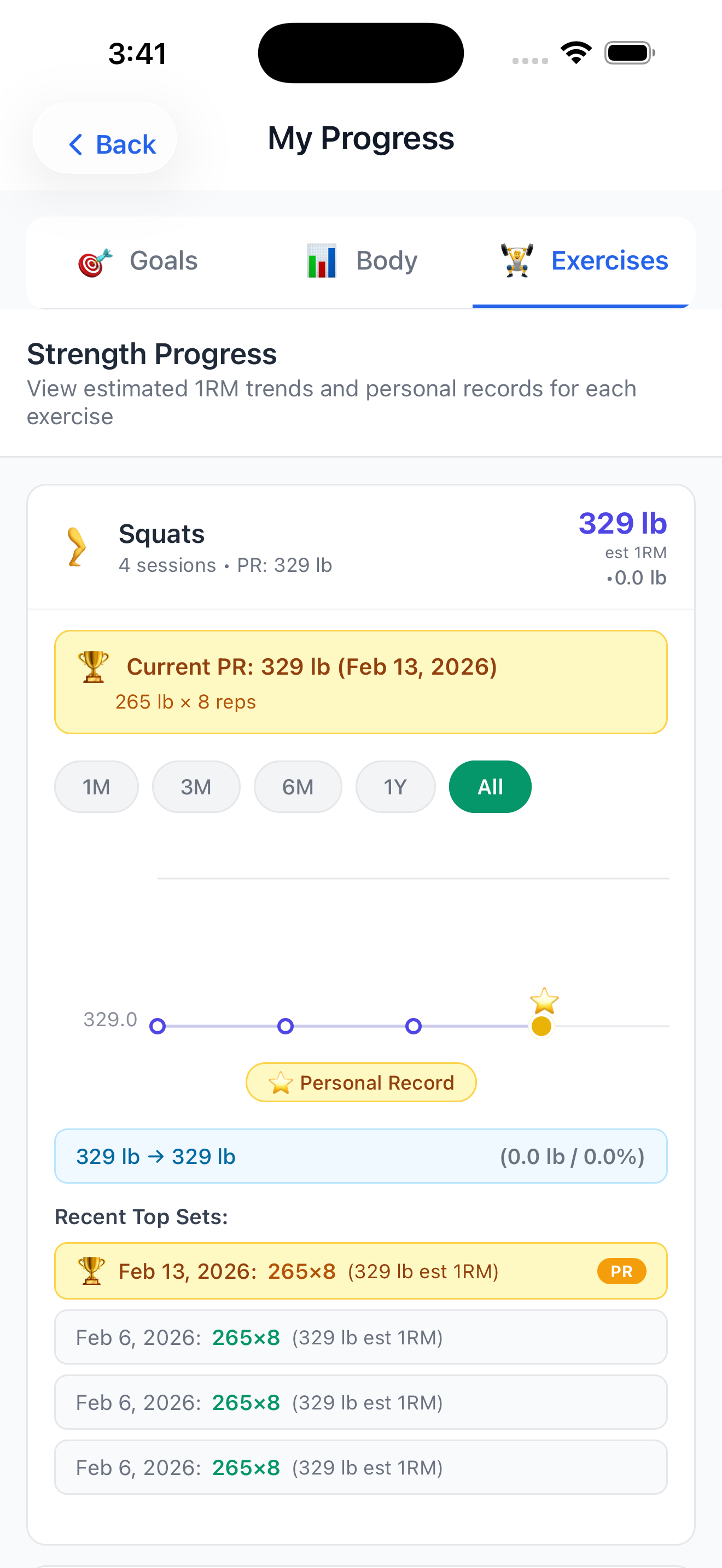
You practice what you preach. Track & Train includes a dedicated personal training section so you can log your own workouts, monitor your progress, and stay consistent — completely separate from your client sessions.
- Start personal workout sessions using your own exercise library
- Apply any of your workout templates to your personal sessions
- Log exercises, sets, and notes just like a client session
- Track your own progress measurements and personal records
- View your personal workout history
- Access My Training directly from the dashboard quick actions
Forms and Waivers
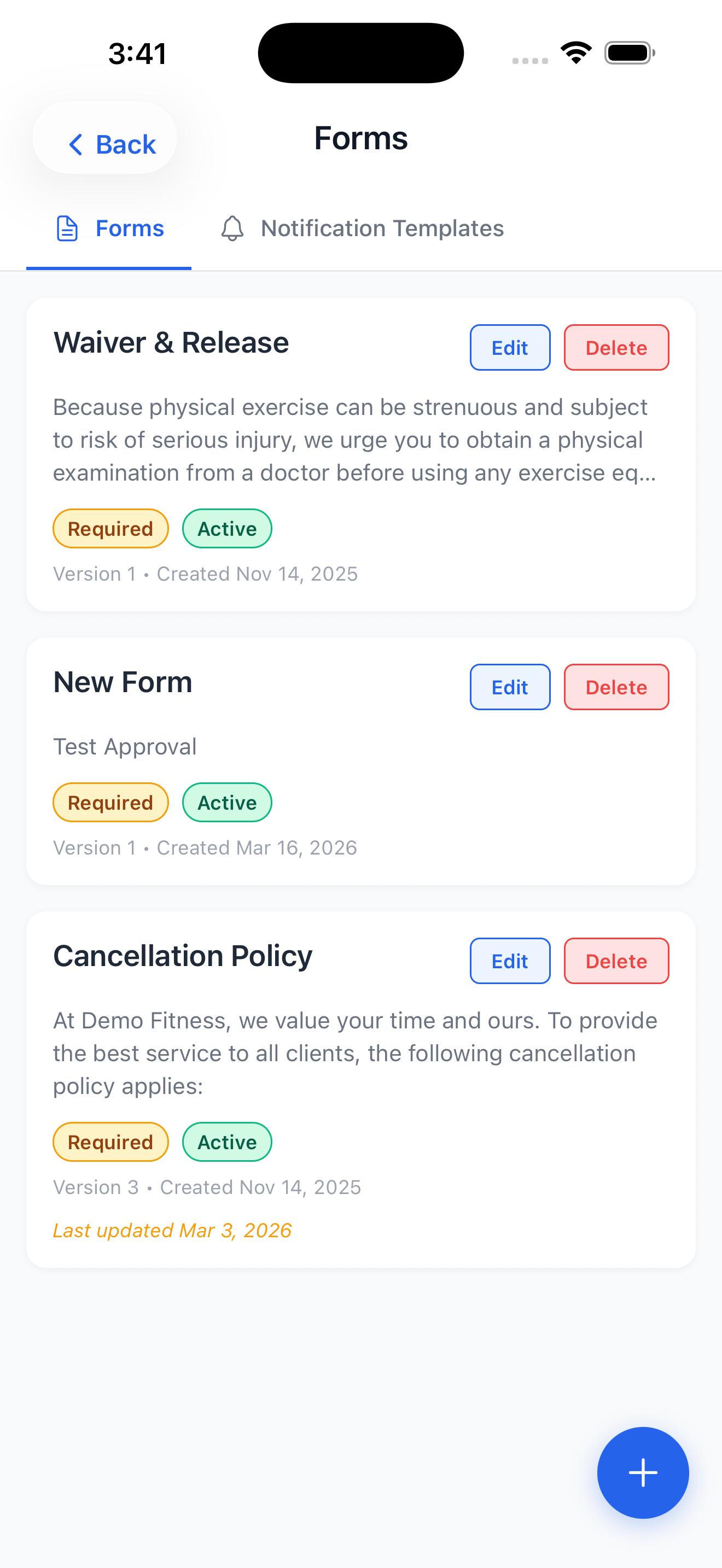
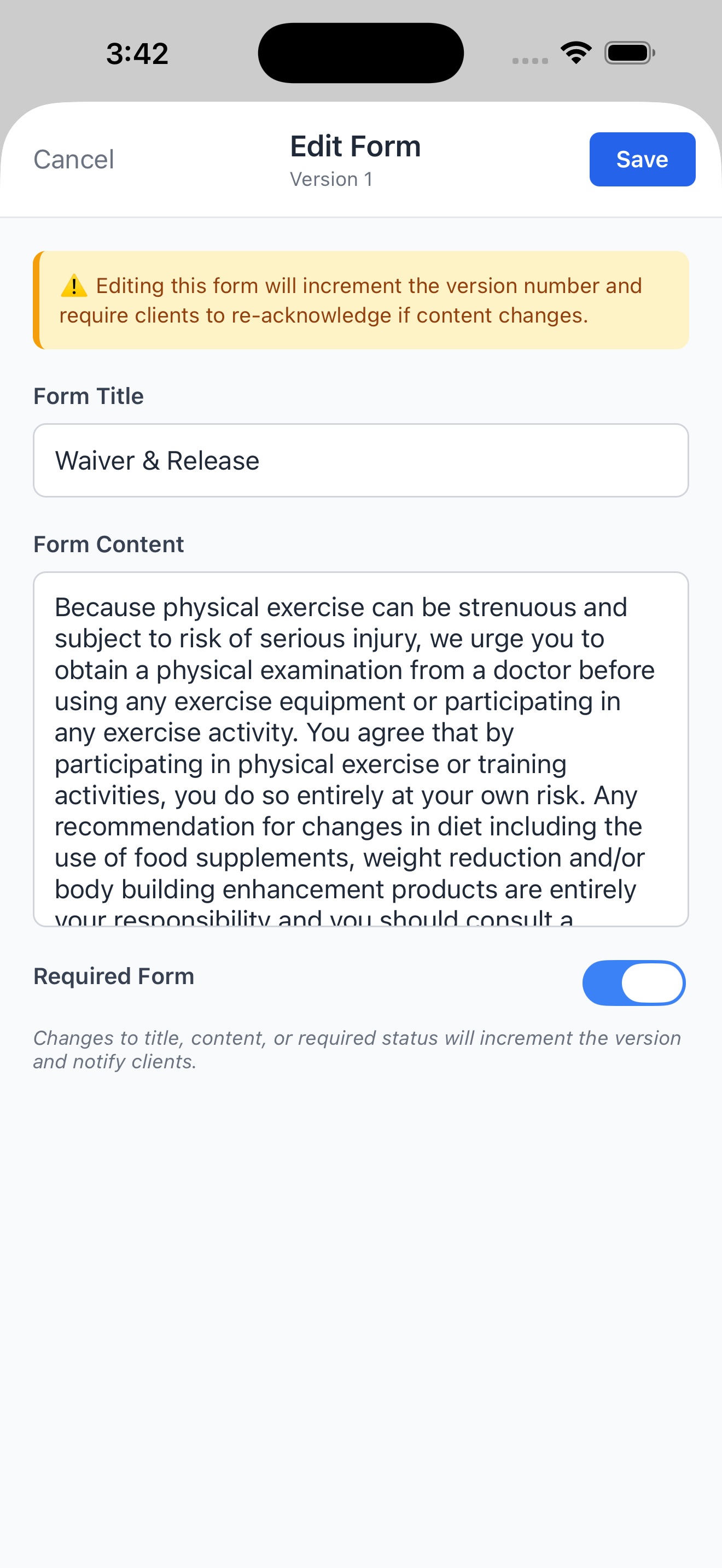
Go paperless with digital intake forms, liability waivers, and policy acknowledgments. Create custom forms that clients sign directly in the app — no printing, no scanning, no chasing down signatures. Every acknowledgment is timestamped and stored securely.
- Create custom forms with any content (intake questionnaires, waivers, policies)
- Mark forms as required or optional
- Send forms to clients through the app — they receive a notification to review and acknowledge
- Track acknowledgment status per client with timestamps
- Update forms at any time (clients are prompted to re-acknowledge updated versions)
- View all form history per client from their profile
Notifications
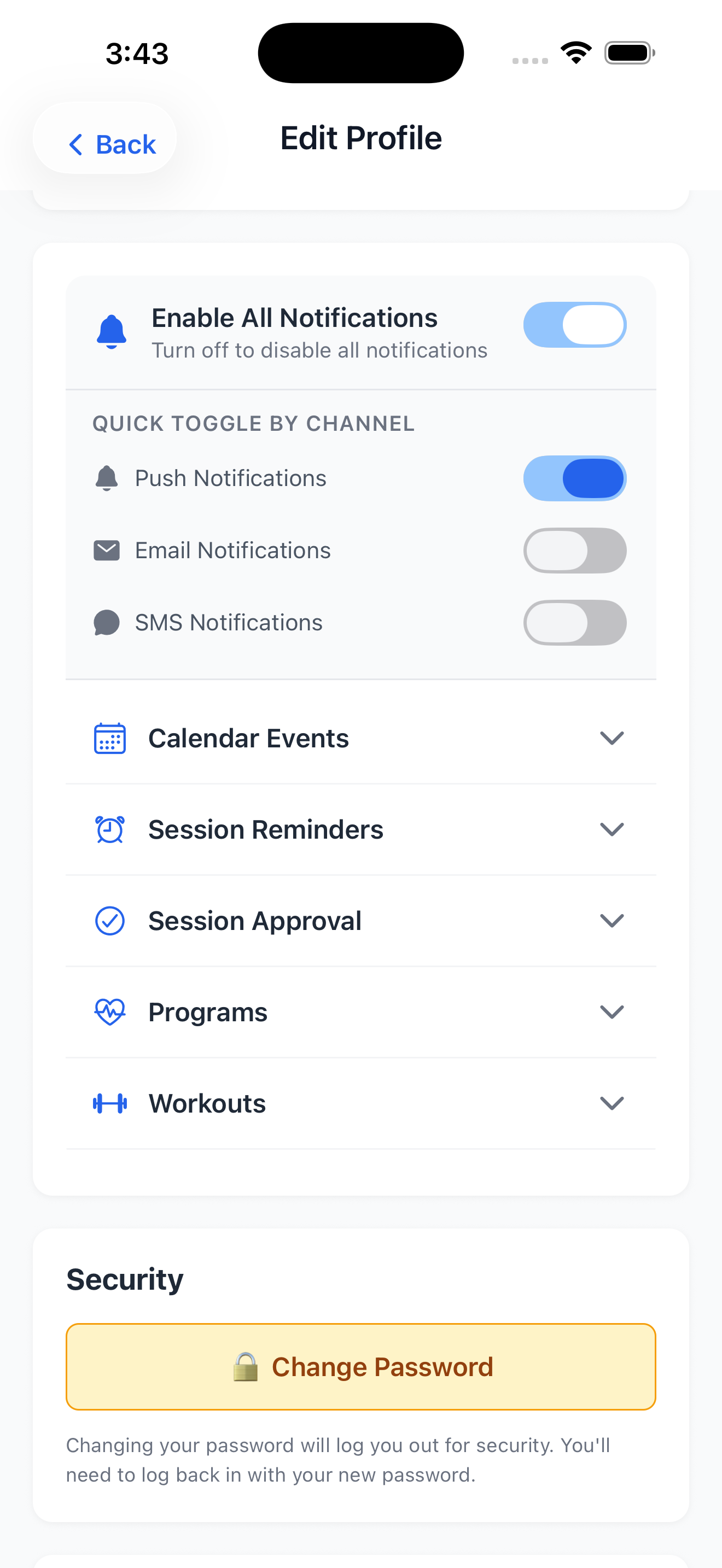
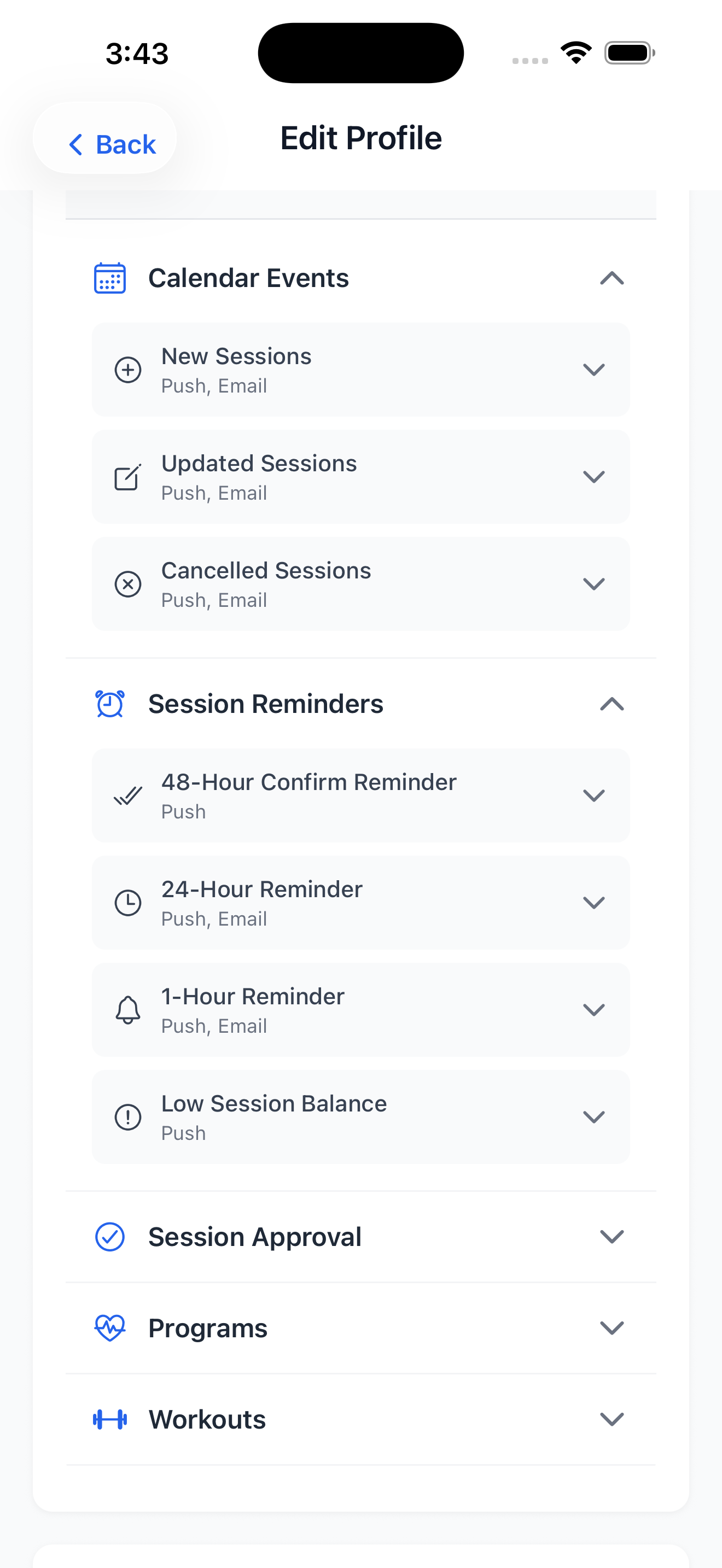
Stay connected with your clients without the back-and-forth. Track & Train sends intelligent notifications for session reminders, approvals, program updates, and more — across push, email, and SMS. You and your clients both stay informed, automatically.
- Receive push notifications for session approvals, calendar changes, and reminders
- Configure notification channels (push, email, SMS) per event type
- Set 24-hour and 1-hour session reminder preferences
- Clients receive automatic notifications when sessions are created, updated, or completed
- Manage SMS opt-in compliance with built-in A2P consent flow
- Enable or disable all notifications with a single master toggle
Manage Your Business from Any Screen
Everything you do on mobile, you can do on the web. Track & Train's web app gives trainers a full-featured desktop experience — same data, same features, bigger canvas.
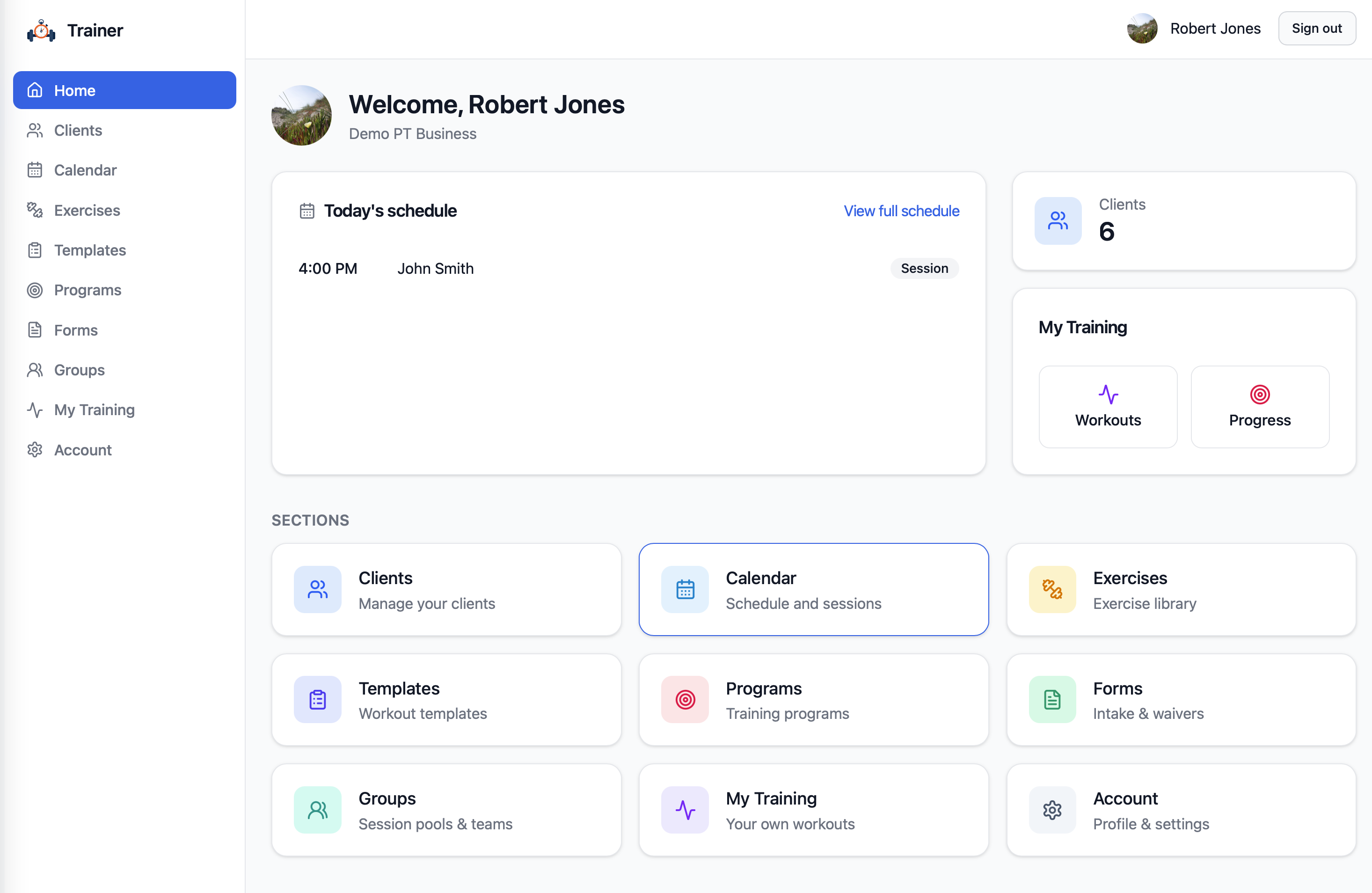
Dashboard
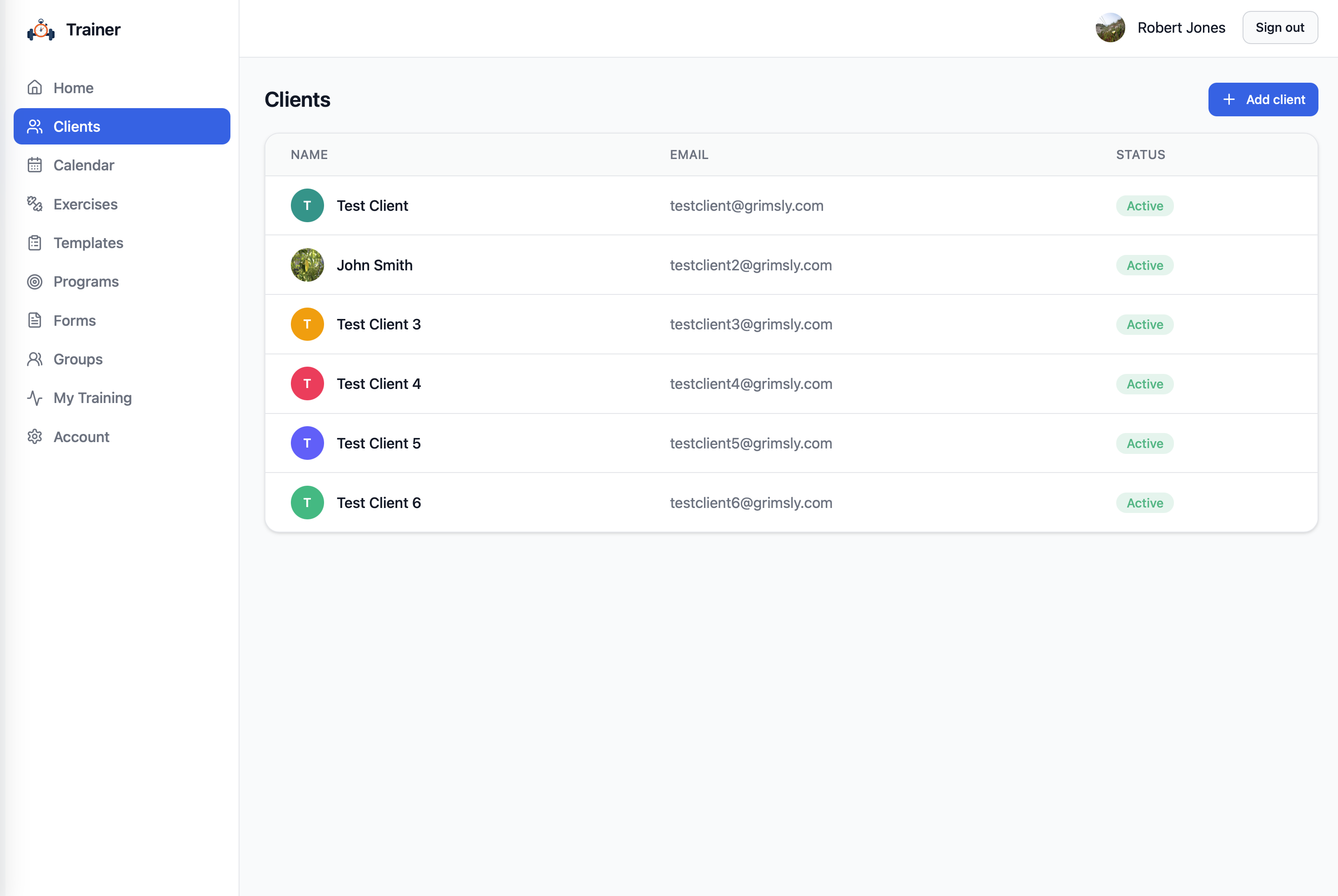
Client Management
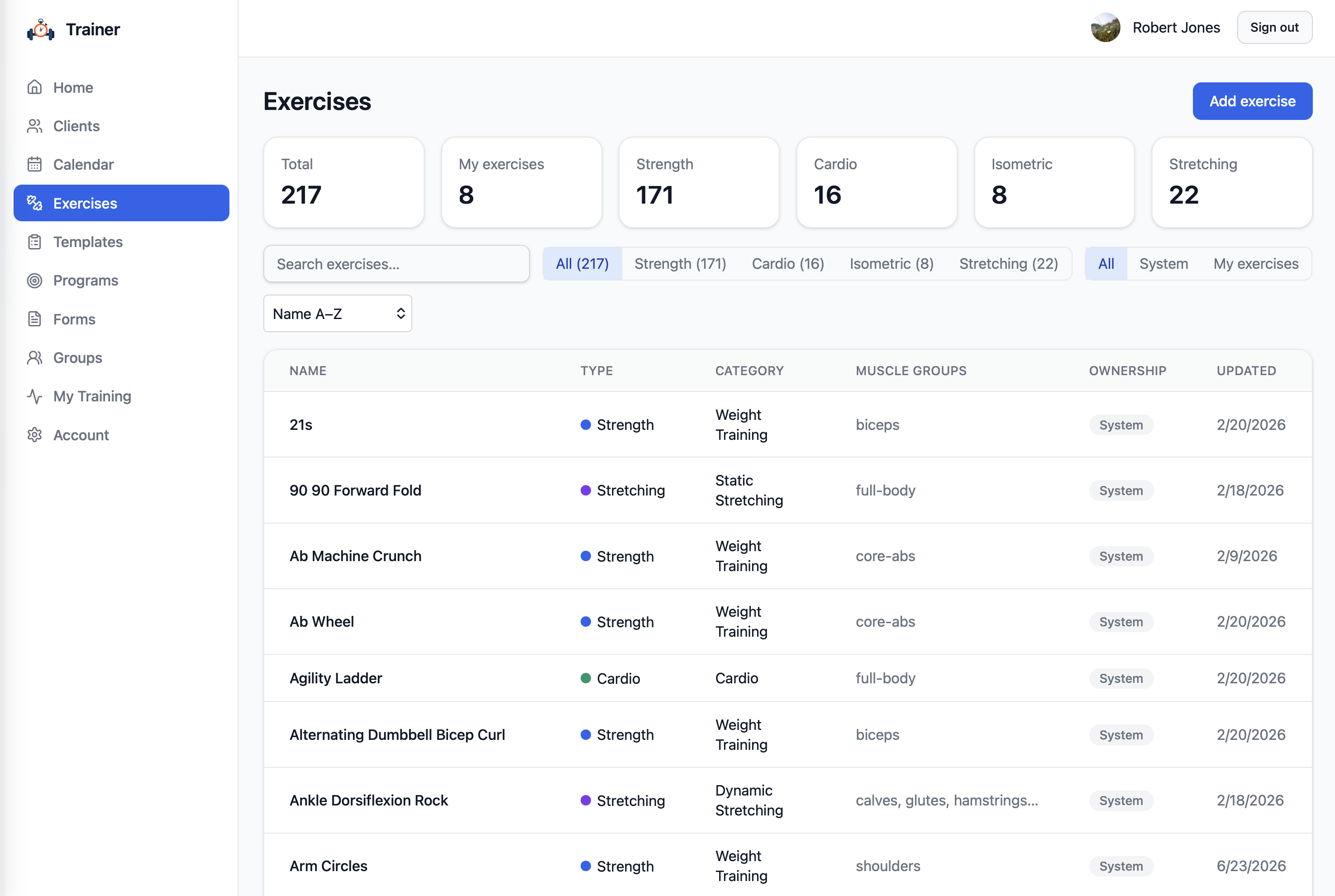
Exercise Library
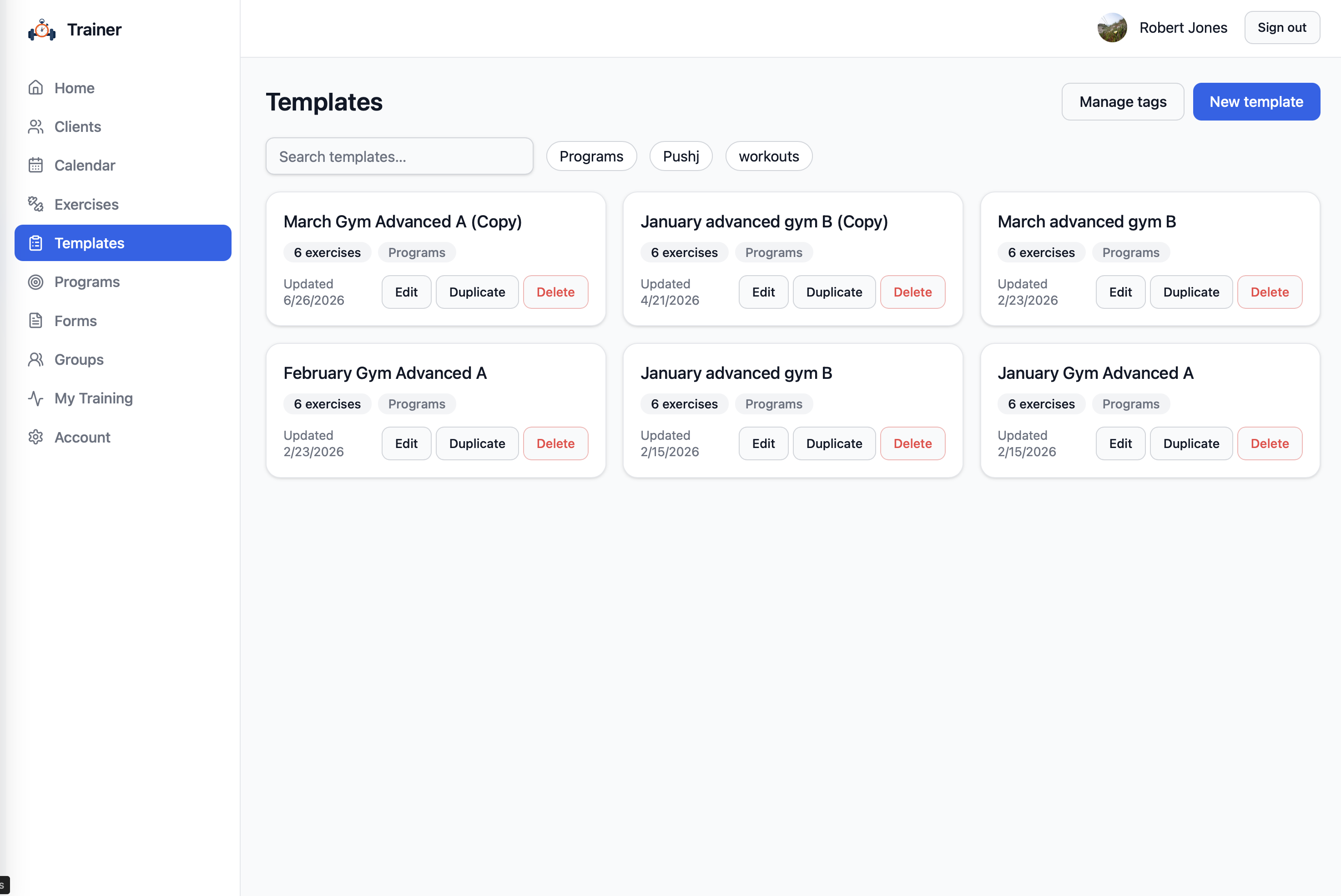
Workout Templates
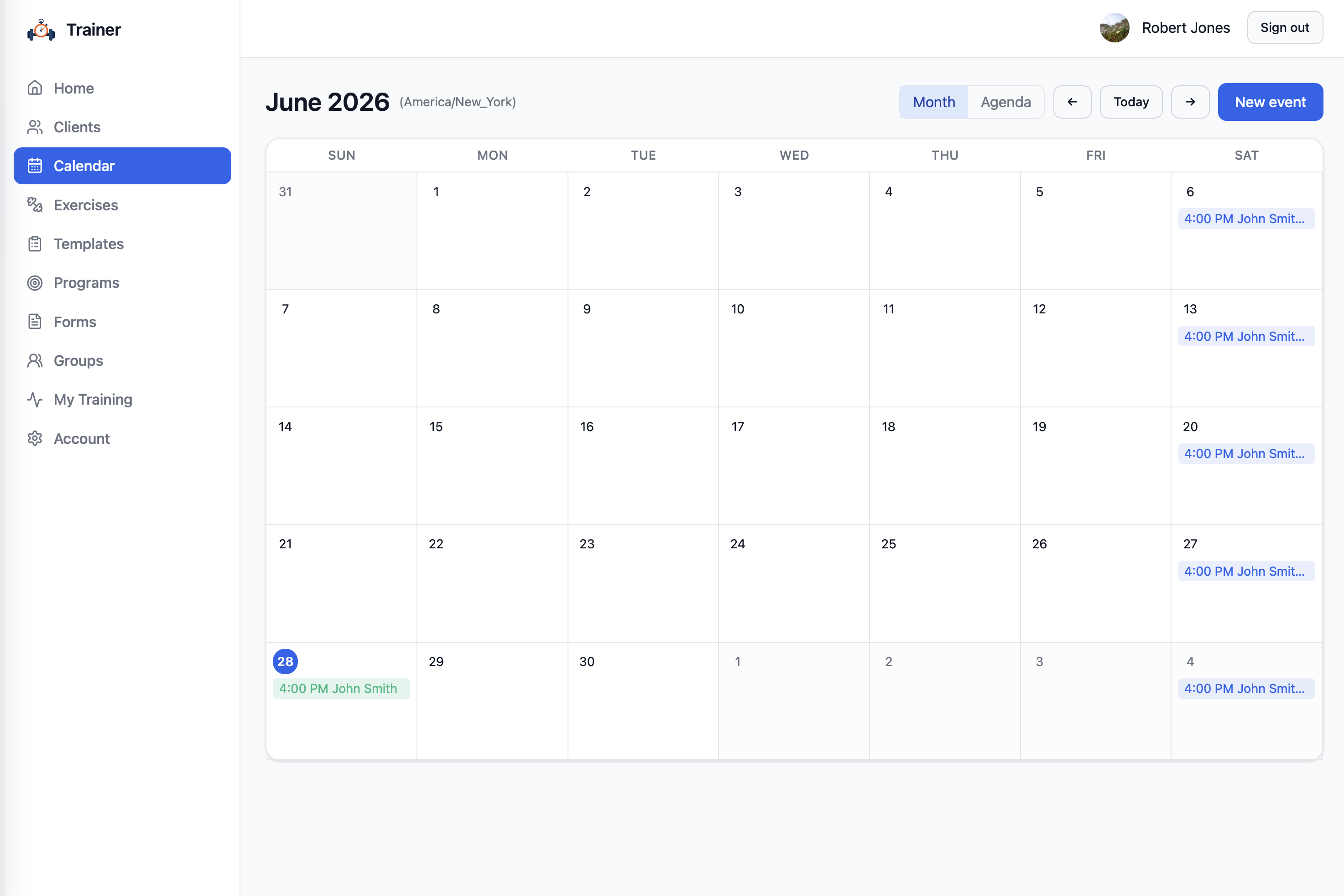
Calendar
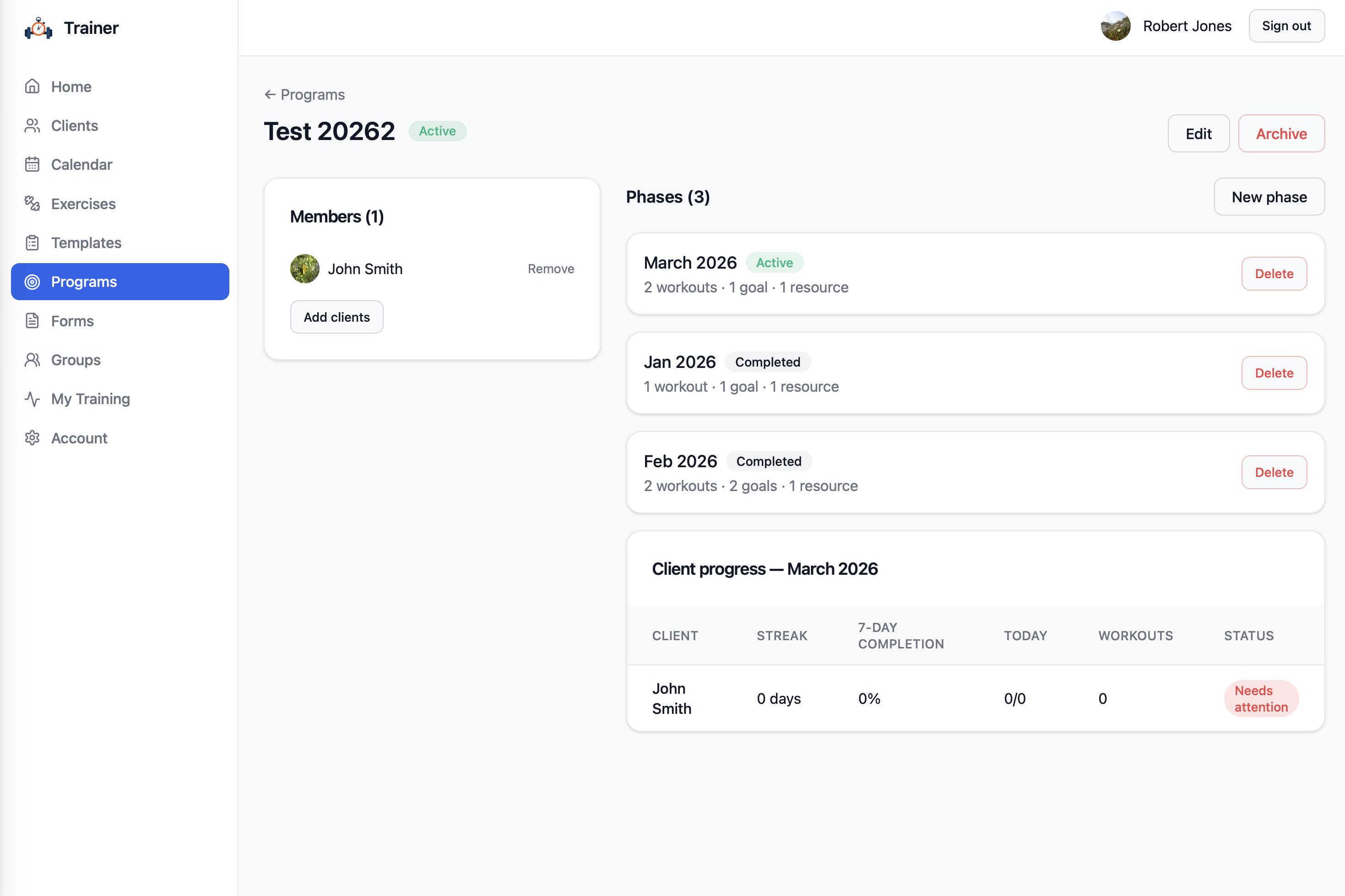
Training Programs
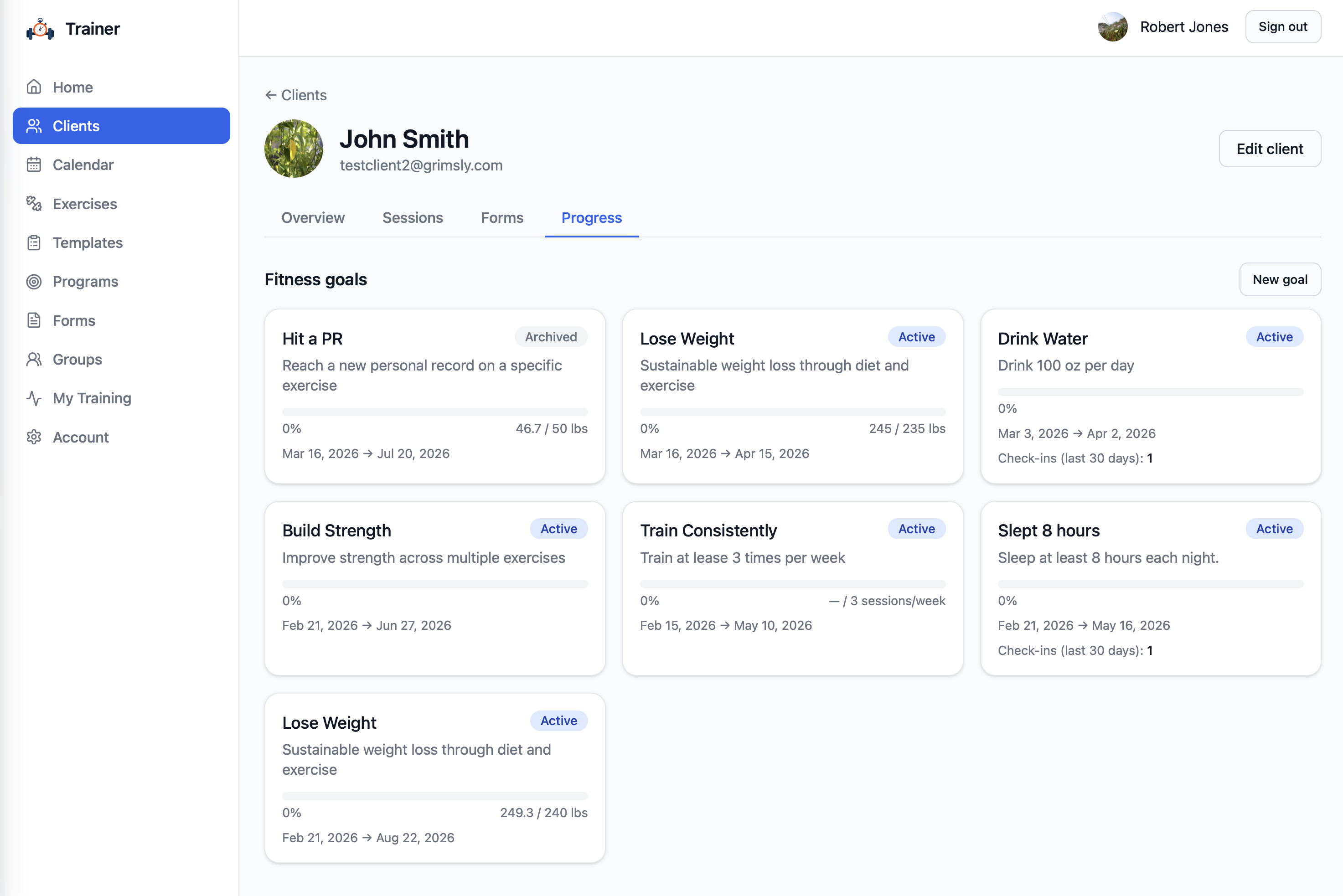
Progress Tracking
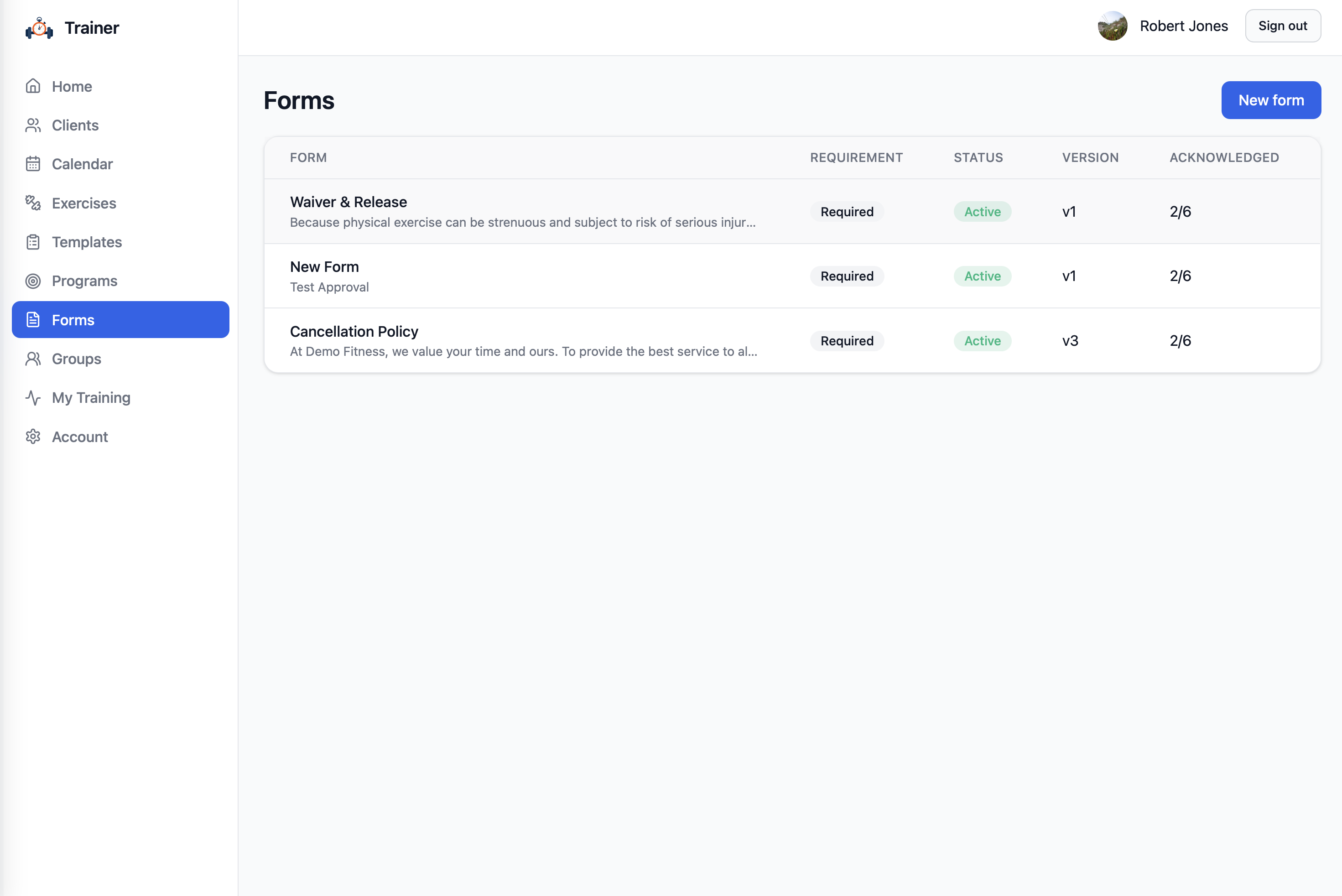
Forms & Waivers
Ready to Get Started?
Join thousands of trainers who have simplified their business with Track & Train.
Start Free Trial